
motorola Bluetooth ® Handsfree Headset is a Bluetooth headset that can be quickly connected and has simple operation.
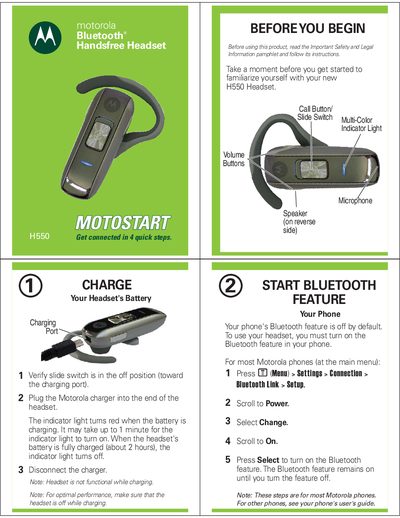
This guide walks you through the initial setup of the Motorola H550 headset, including charging the battery, turning Bluetooth on your phone, and pairing the devices. It also covers basic call functions, volume control, and how to turn the headset on and off.
Additional sections describe how to attach earhooks, change button orientation, interpret indicator light signals, and reset the headset to factory settings. Troubleshooting tips help resolve common pairing or connectivity issues.
| Charging time | about 2 hours |
|---|---|
| Charging indicator light | Red while charging, off when fully charged |
| Passkey for pairing | 0000 |
| IMEI | 350034/40/394721/9 |
| Product approval number | MCZ-41H14 |
Press and hold both Volume buttons and the Call button together for 10 seconds; the headset will restore to its original factory settings and erase all pairing information.