
This manual introduces the functions and usage of Motorola DRC800 4-in-1 universal remote control. DRC800 can control Motorola or other manufacturers' cable set-top box and up to three other devices. The remote control also provides advanced features such as Digital Video Recording (DVR) control and Picture-in-Picture (PIP) support. You can lock volume control to any of these devices, to make adjusting your home entertainment volume easier. The DRC800 comes from the factory without the volume locked to any specific device. You can also change what type of device each mode key controls.
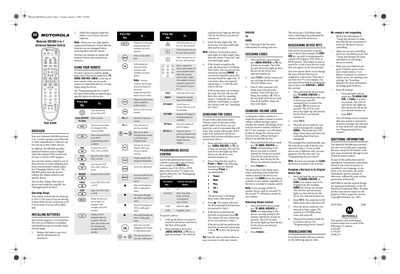
The guide introduces the Motorola DRC800 4‑in‑1 universal remote, which can control a cable set‑top box and up to three additional devices. It describes advanced features such as DVR control, Picture‑in‑Picture support, and volume‑lock functionality, and specifies an operating range of up to 50 ft (15 m) directly in front of a device.
Detailed sections cover battery installation, device key programming, volume lock, reassigning keys, code searching, and troubleshooting. The manual also notes that the remote uses two AAA batteries, lasts about six months under normal use, and has no user‑serviceable parts.
| Operating range (front) | up to 50 ft (15 m) |
|---|---|
| Operating range (side) | up to 20 ft (6 m) |
| Battery type | 2 AAA batteries |
| Battery life | up to 6 months (normal use) |
| User‑serviceable parts | None |
Open the battery case, follow the diagram inside to insert two new AAA batteries, and replace them within ten minutes to retain memory.
Hold the device mode key for the target device, then press Volume +; the LED will blink three times to confirm the lock.
Hold any device mode key for six seconds, then enter 981; the LED will blink twice indicating a factory reset.