
This document introduces the use of the External 3D IR emitter. It can extend the visual and audio distance of 3D images up to 10 meters. You can use this emitter if you cannot watch 3D images properly with a 3D projector, or if your viewing position is too far from the screen.
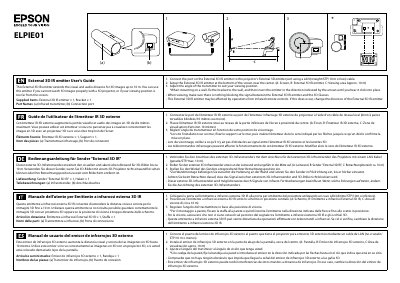
The ELPIE01 External 3D IR Emitter extends the visual and audio distance for 3D images up to 10 m. Supplied items include the emitter and a bracket, with parts labeled as infrared transmitter and connection port.
Installation involves connecting the emitter to the projector with a straight LAN (STP) cable, mounting it at the bottom centre of the screen, and adjusting the transmitter angle. The guide also warns to keep the signal path clear and to re‑orient the emitter if infrared remote controls cause interference.
| Operating temperature | 5‑35 °C |
|---|---|
| Storage temperature | -10‑60 °C |
| Operating humidity | 20‑80 % |
| Storage humidity | 10‑90 % |
| Dimensions (W×H×D) | 120 mm × 48.35 mm × 56.5 mm |
| Weight | Approx. 160 g |
It can extend the visual and audio distance for 3D images up to 10 m.
Change the direction of the External 3D IR emitter.