
This document introduces the LG phone's usage methods, including battery installation, removal, replacement, and charging methods.
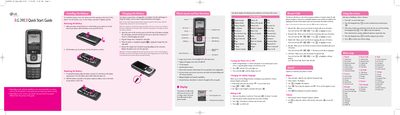
This guide explains how to install, remove, and replace the rechargeable Li‑ion battery, how to charge the phone with the wall charger, and how to turn the device on or off. It also covers basic phone layout, key functions, and how to change the display language between English and Spanish.
Additional sections describe making and receiving calls, navigating recent call lists, customizing ringtones and volume, using text input modes (T9, ABC, 123, Symbol), sending messages, managing airtime, and security settings such as lock codes and privacy features.
| Battery type | Rechargeable Li‑ion |
|---|---|
| Display | 7‑line backlight LCD |
| Keypad | 22‑key keypad |
| FCC SAR limit | 1.6 W/kg |
| Measured SAR (ear) | 1.3 W/kg |
| Message storage capacity | Up to 100 sent messages (50 SMS, 50 MMS) |
Insert the battery into the opening on the back of the phone, place the battery cover on top, and push it slightly upwards until it clicks.