
This document is a help guide for the Nikon D100 digital camera, providing information on camera settings and usage, as well as recommending accessories. It suggests using a 60mm micro lens instead of a traditional 105mm lens, as the camera has a built-in magnification of 1.5x. It also recommends purchasing two CompactFlash cards and a card reader for importing images. The document mentions that directly connecting the camera to a computer using a USB cable for image transfer is not ideal, as it drains the camera batteries and prevents taking additional photos.
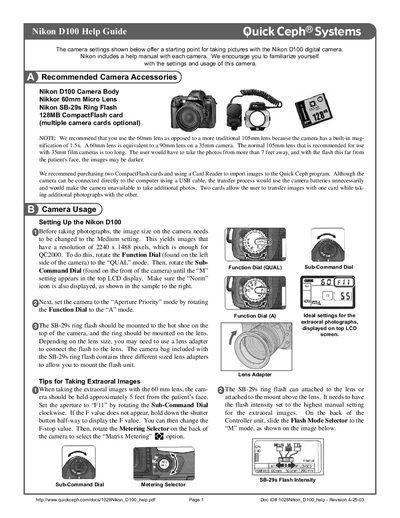
The Help Guide outlines recommended accessories, basic camera setup, and optimal shooting settings for dental imaging using the Nikon D100. It explains how to configure image size, exposure mode, aperture, metering, and flash intensity for both extraoral and intraoral photographs.
Detailed instructions cover mounting the SB‑29s ring flash, using lens adapters, positioning the camera relative to the patient, and ensuring proper lighting. The guide also includes calibration tips for capturing X‑ray images that match the original size when imported into QC2000.
| Image resolution (Medium setting) | 2240 x 1488 pixels |
|---|---|
| Built‑in magnification | 1.5× |
| Aperture for extraoral photos | F11 |
| Aperture for intraoral photos | F22 |
| Metering mode (extraoral) | Matrix Metering |
| Metering mode (intraoral) | Center‑Weighted Metering |
| Flash mode (extraoral) | M (manual high) |
| Image size setting | Medium |
Rotate the Function Dial to the QUAL mode and then turn the Sub‑Command Dial until the “M” (Medium) setting appears on the LCD.
Set the aperture to F11 using the Sub‑Command Dial.
Mount the SB‑29s ring flash on the camera’s hot shoe and attach it to the lens or the mount above the lens using the supplied lens adapters.
Select Center‑Weighted Metering on the Metering Selector.