
This document provides instructions for using the Polar F6 Fitness Heart Rate Monitor, including information on the components of the heart rate monitor, buttons and display symbols, basic settings, how to measure heart rate, and exercise functions.
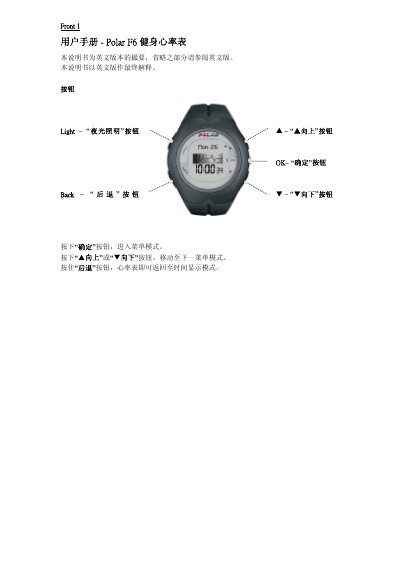
This manual introduces the Polar F6 heart‑rate monitor watch, describing its basic functions, button layout and initial setup steps. It covers how to turn the device on, select time format, change units and lock or unlock the buttons.
Further sections detail activity tracking, OwnZone training zones, data summaries, diary entries and how to send data to the Polar Fitness Trainer service. Settings for weight, height, birthday and other personal information are also explained. This manual is written in Chinese.
| Battery type | CR2032 |
|---|---|
| Display units | KG/CM or LB/FT |
Press the Light button to toggle between metric (KG/CM) and imperial (LB/FT) units.
Press the Light button; the display will show "Buttons Locked" or "Buttons Unlocked".
The watch is powered by a CR2032 button cell battery.