
The manual introduces how to use CASIO watch, including how to set time, date, and use stopwatch.
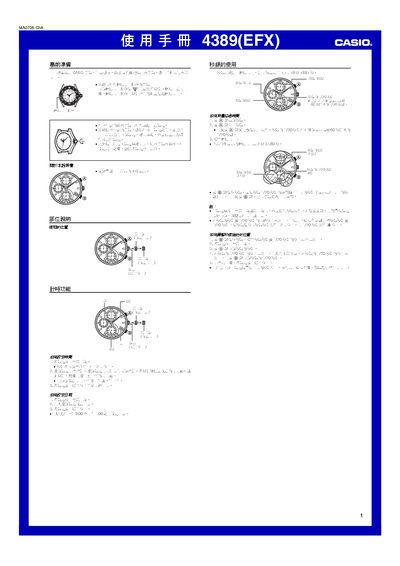
This manual provides step‑by‑step instructions for preparing the Casio 4389 watch, including how to pull the crown to the appropriate positions for setting the time and date. It explains the operation of the stopwatch function, the 1/20‑second hand, and the limits of the timing range.
The guide also covers water‑resistance features, warnings about setting the date between 9 PM and 1 AM, and detailed precautions for handling the crown and protecting the watch from damage. This manual is written in Chinese.
| Stopwatch maximum time | 11 h 59 min 59.95 s |
|---|
Pull the crown out to the second position, align the seconds hand to 12 o’clock, then rotate the hands clockwise to the desired time.
Pull the crown out to the first position, rotate to set the date, and avoid setting the date between 9 PM and 1 AM.
The stopwatch can measure up to 11 hours 59 minutes 59.95 seconds.