
This document provides a detailed introduction to the iButton Starter Kit, including its appearance, uses, and usage methods.
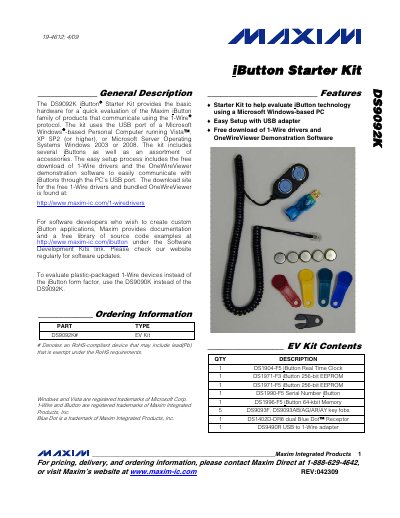
The DS9092K iButton Starter Kit supplies the basic hardware needed to evaluate Maxim's iButton family using a Windows‑based PC. The kit includes several iButton devices, a USB‑to‑1‑Wire adapter, and a Blue Dot Receptor, plus free driver and OneWireViewer software.
The manual explains how to download and install the 1‑Wire drivers, connect the DS9490R USB adapter, and use the OneWireViewer application. It also lists the software development kits available for creating custom iButton applications.
| Included iButton – Real Time Clock | DS1904-F5 |
|---|---|
| Included iButton – 256‑bit EEPROM | DS1971-F3, DS1971-F5 |
| Included iButton – Serial Number | DS1990-F5 |
| USB to 1‑Wire Adapter | DS9490R |
| Blue Dot Receptor | DS1402D-DR8 |
| Supported Operating Systems | Windows Vista, XP SP2+, Windows Server 2003/2008 |
First run the 1‑Wire driver installation wizard, then plug the DS9490R adapter into a free USB port after the wizard completes.