
This document describes the electrical specifications and environmental optical specifications of the Noritake Itron VFD module GU254x32D-K610A4, including parameters such as supply voltage, supply current, input/output voltage levels, as well as characteristics such as display area, dot size/pitch, luminance, and color.
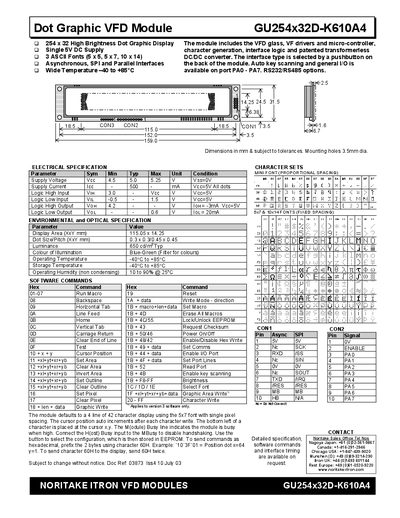
The GU254x32D-K610A4 is a high‑brightness 254 × 32 dot graphic VFD module with built‑in drivers, a micro‑controller and selectable interfaces (asynchronous, SPI, parallel, RS232/RS485). It offers three font sizes, key‑scan capability and programmable macros for flexible display control.
This document describes the module’s electrical and environmental specifications, explains how to select and configure the communication interface, details the full set of software commands, and provides examples for displaying text, graphics, area operations, write modes and macro programming.
| Supply Voltage | 5.0 V – 5.25 V |
|---|---|
| Supply Current | 500 mA |
| Logic High Input (VIH) | 3.0 V |
| Logic Low Input (VIL) | -0.5 V |
| Display Area | 115.05 mm × 14.25 mm |
| Dot Size / Pitch | 0.3 mm × 0.3 mm / 0.45 mm × 0.45 mm |
| Luminance | 650 cd/m² |
| Operating Temperature | -40 °C to +85 °C |
| Brightness Level Range | F8H (off) to FFH (max) |
The factory default interface is SPI.
Apply a low‑level signal to the /RES line to reset the module.
Up to 8 macros can be stored, with one macro executed at power‑up.
The module provides three fonts: a proportional mini‑font, a 5 × 7 pixel font, and a 10 × 14 pixel font.