
The document is about SIM LED WAP OKWAP Modem MIDI i-Manager STK CSD GPRS i-Organizer .. i-Sync .. i-Manager.. i-Transfer. i-Backup i-Sync LED OK Vol_Up Vol_Down * NO menu 0 ¥¼©R¦W-1 2002/7/3, AM 10:43 1 30 SIM ¥¼©R¦W-1 2002/7/3, AM 10:43 2 Vol_Up Vol_Down DEG RAD ~ P ABC abc 0 ABC abc ¥¼©R¦W-1 2002/7/3, AM 10:44 3 ABC abc SIM ¥¼©R¦W-1 2002/7/3, AM 10:44 4 Calls(1) Directory(1-1) Records(1-2) Missed Calls(1-2-1) Received Calls(1-2-2) Dialed Calls(1-2-3) Call Duration(1-2-4) Speed Dial(1-3) Phone Guard(1-4) Netwk. Services(1-5) Call Divert(1-5-1) Call Barring(1-5-2) Fixed Dial(1-5-3) Netwk. Select(1-5-4) Pref.Network(1-5-5) Netwk. Setting(1-5-6) Message(2) SMS(2-1) Chat(2-2) Email(2-3) Inbox(2-3-1) Outbox(2-3-2) Draft(2-3-3) ¥¼©R¦W-1 2002/7/3, AM 10:44 5 User Group(2-4) SMS Group(2-4-1) Email Group(2-4-2) Settings(2-5) Set SMS(2-5-1) SMSC No.(2-5-1) SMS Storing(2-5-2) General(2-5-3) Set Email(2-5-2) POP3 POP3 Setting(2-5-2-1) SMTP SMTP Setting(2-5-2-2) Dial Setting(2-5-2-3) GPRS GPRS Setting(2-5-2-4) Send & Receive(2-5-2-5) WAPSet WAP(2-5-3) WAP Setting(2-5-3-1) CSD CSD Setting(2-5-3-2) GPRS GPRS Setting(2-5-3-3) WAP Connection(2-5-3-4) Set CB(2-5-4) Bookstore(3) Go to ebook(3-1) My Bookshelf(3-2) WAP(4) Homepage(4-1) OKWAP Go to OKWAP(4-2) Favorites(4-3) History(4-4) Download Area(4-5) ¥¼©R¦W-1 2002/7/3, AM 10:44 6 Setting(4-6) PDA(5) Calendar(5-1) Dictionary(5-2) Voice Function(5-3) Voice dialing(5-3-1) Voice Command(5-3-2) Voice Memos(5-3-3) Calculator(5-4) PC Companion(5-5) Sync(5-5-1) PC Downl
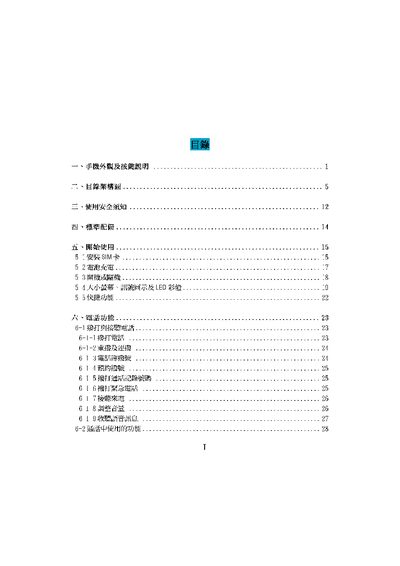
This manual explains how to start using the OKWAP phone, covering basic operations such as powering on, charging the battery, and navigating the main menu. It also details phone functions like making and receiving calls, managing contacts, and using the built‑in voice and infrared features.
Further sections describe network configuration, favorite list management, data backup, and advanced settings such as language input methods, clock synchronization, and system utilities. The document includes troubleshooting tips and a reference of limits for stored entries and text lengths. This manual is written in Japanese.
| Maximum input length | 160 characters |
|---|---|
| Maximum stored entries | 500 entries |
| Custom contacts limit | 16 contacts, name up to 6 characters |
| Maximum ringtone length | 10 items |
The phone can store up to 500 entries.
Each text entry can be up to 160 characters long.
You can create up to 16 custom contacts, with each name limited to 6 characters.