
This is a phone manual that instructs users how to install batteries, SIM cards, and how to power on and off
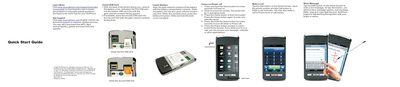
This Quick Start Guide walks you through the essential setup of the SciPhone S18, including SIM card installation, battery insertion, power on/off procedures, and basic navigation. It also covers how to make calls, send messages, and use the device’s multimedia functions.
Additional sections explain how to install Java applications, play music and video files, view photos, take pictures, access Internet services, and adjust settings such as airplane mode, brightness, and security options.
| Supported audio format | MP3 |
|---|---|
| Supported video formats | MP4, 3GP |
| SIM card slots | Two (bottom and top) |
Remove the battery cover, place the first SIM card into the bottom slot with contacts facing up, and if you have a second SIM, place it into the top slot with contacts facing down.
Press and hold the Home button for a few seconds; the phone will power on and the screen will unlock.
Copy MP3 files to the mp3 folder on the memory card, then tap the Multimedia button and select Audio Player to listen.