
This document is a quick start guide for the DVD video player DVP 3960. It explains how to connect and set up the DVD player, and how to find the correct viewing channel. The document also includes the DVD player's remote control and user manual.
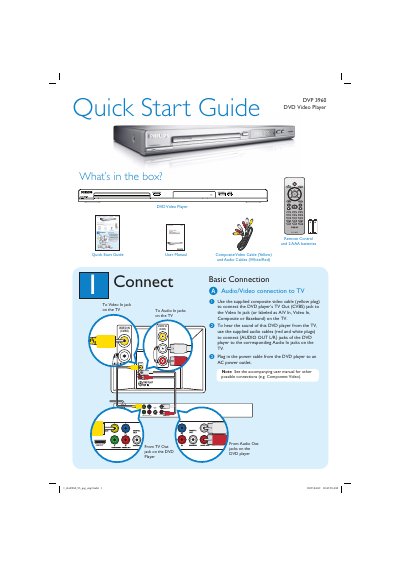
This guide shows what is included in the box and how to make the basic audio/video connections to a TV, including composite video, audio L/R, HDMI, component and digital outputs. It also explains how to power the player, select on‑screen, audio and subtitle languages, and start or stop playback.
Additional sections cover finding the correct TV viewing channel, troubleshooting common issues such as no power, no picture or sound, and remote‑control problems, and point users to the full user manual for more detailed information.
| Audio/Video outputs | Composite video (CVBS), Audio L/R, HDMI, Component, Digital, Coaxial |
|---|
Press 2 on the DVD player’s remote, turn on the TV, then press 0 on the TV remote and repeatedly press Channel Down until the DVD background appears.
Press SETUP on the remote, highlight OSD Language, press X, then press ST and OK to select the desired language.
Check that the AC power cord is properly connected and press the STANDBY‑ON button on the front of the player.