
This document is the user's guide for Canon QV-3000EX/Ir digital camera
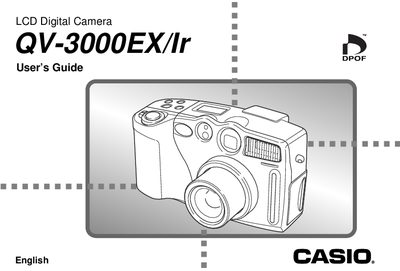
This manual provides step‑by‑step instructions for operating the QV-3000EX/Ir LCD digital camera, covering battery installation, memory‑card handling, recording, playback, and basic settings such as date and time. It also includes safety precautions, troubleshooting tips, and specifications of the camera’s hardware.
The guide is organized into quick‑reference sections, a detailed table of contents, and separate chapters for recording, playback, image management, and connections to external devices like televisions and computers.
| Recorded Image Size | 2048 x 1536 pixels |
|---|---|
| Lens | F2 to 2.5; 7‑21mm (35mm equiv. 33‑100mm) |
| Optical Zoom | 3× |
| Recording Medium | CompactFlash card (Type I/II) |
| Power Consumption | Approximately 6.6 W |
| Dimensions | 134.5 mm × 80.5 mm × 57.5 mm |
| Weight | Approximately 320 g (excluding batteries) |
Slide the battery compartment cover lock toward the back, open the cover, insert the batteries with the correct polarity, then close and lock the cover.
Use the procedure described on page E‑45 to set the date and time before first use.
Select the image, press the MENU button, confirm deletion by selecting “Yes”, and then press the SET button.
Yes, the camera includes a VIDEO OUT (NTSC, PAL) connector for connecting to a TV.