
This document is the instructions for GC1580, GC1575, GC1565 steam irons
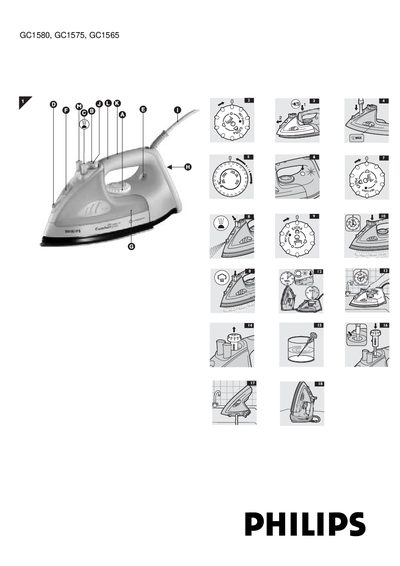
This user manual provides comprehensive instructions for the Philips GC1580, GC1575, and GC1565 steam iron models. It covers essential safety precautions, temperature control settings for various fabric types, and operation of steam functions including the spray function, Extra Steam (GC1580), and Shot of Steam (GC1575). The manual details the Calc-Clean function for removing scale and impurities, auto shut-off features, and proper cleaning and storage procedures to ensure long-lasting performance.
Set the steam control dial to position O, set the temperature control dial to MAX, fill the water tank to maximum, then hold the iron over a sink and set the steam control to the Calc-Clean position while gently shaking the iron until the water is used up.
Never leave the iron unattended when connected to mains, keep away from children, and always set steam control to O, put iron on its heel, and remove the plug when finished or cleaning.
Pick up or move the iron slightly to reset; the red pilot light will go out and the amber temperature pilot light will go on when ready for use.