
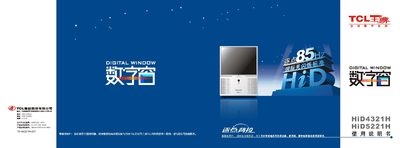
The guide begins with safety warnings and installation instructions for the projection TV, including handling of high‑voltage components, proper placement, ventilation, and securing the mobile wheels. It also details how to connect external devices such as DVD players, set‑top boxes, and computers.
Subsequent sections cover remote‑control functions, color‑center adjustment, picture‑in‑picture operation, audio and video settings, and a troubleshooting chapter that helps resolve common image or sound issues. Technical specifications of the TV are listed at the end of the document. This manual is written in Chinese.
| Screen diagonal (HiD4321H) | 109 cm (43 in) |
|---|---|
| Operating voltage | 160 V‑240 V, 50/60 Hz |
| Power consumption | 200 W |
| Standby power | < 3 W |
| Dimensions (W×D×H) HiD5221H | 1412 mm × 530 mm × 1348 mm |
| Weight HiD4321H | 56 kg |
| Weight HiD5221H | 66 kg |
Open the battery compartment on the back of the remote, insert two 7‑mm 1.5 V batteries with the correct polarity, and close the cover.
Press the MENU key, select the red/blue convergence adjustment, use the remote to fine‑tune until the convergence point turns white, then store the settings with the ANIMATION key.
The standby power consumption is less than 3 W.
Yes, connect the PC via the VGA input; supported resolutions are 640×480 @ 60 Hz and 800×600 @ 60 Hz.