
This document is a configuration guide for Asus ADSL router devices, specifically for AAM6000EV/Z1 router. The guide provides step-by-step instructions and assistance for setting up router dial-up connections.
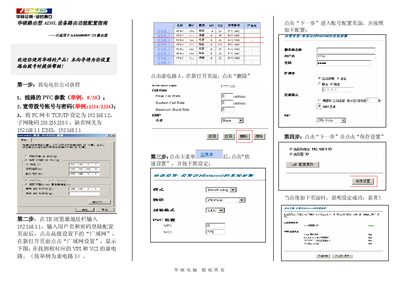
This manual guides users through configuring the ASUS AAM6000EV/Z1 broadband router. It explains how to gather ISP parameters, access the router’s web interface, and set up WAN and LAN settings.
The document walks through four main steps: obtaining ISP connection data, logging into the router at 192.168.1.1, configuring VPI/VCI and ATM parameters, and saving the configuration while verifying LAN/WAN status. This manual is written in Chinese.
| Default LAN IP address | 192.168.1.1 |
|---|---|
| Default subnet mask | 255.255.255.0 |
| Default DNS server | 192.168.1.1 |
| ATM‑1 VPI/VCI | 14 / 24 |
Contact your ISP to get the PVC parameters, broadband username and password.
Open a web browser, enter 192.168.1.1, and log in with the provided username and password.
The router defaults to IP address 192.168.1.1, subnet mask 255.255.255.0, gateway 192.168.1.1, and DNS server 192.168.1.1.