
This manual provides detailed instructions on how to use the certain reading machine and precautions, including basic knowledge, host component introduction, battery installation, expansion storage function, English-Chinese dictionary function, operation guide, preparation work, power on/off, instant speed change, book selection, page selection, volume adjustment, learning, testing, dictation, listening, intelligent guidance, repetition, follow-up/contrast, formatting operation, support USB download, troubleshooting, technical specifications, and after-sales service.
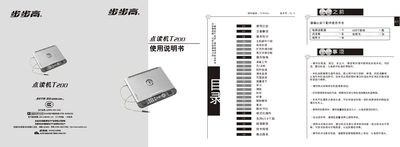
This manual covers the basic knowledge of the BBK T200 point‑reading device, including an introduction to the main unit components, battery installation, and storage‑card expansion. It also explains the various operation modes such as English‑Chinese dictionary, instant speed adjustment, and intelligent tutoring.
Detailed troubleshooting steps, safety warnings, and specifications are provided, along with instructions for formatting the device and downloading new textbook files via the U5B interface. This manual is written in Chinese.
| Model | T200 |
|---|---|
| Flash Chip Capacity | 256 MB (2 Gb) |
| Operating Voltage | 6 V DC |
| Battery Type | 4 × AA (5号) batteries |
| Speed Adjustment Levels | 5 levels |
| Maximum Repeat Time | 240 seconds |
| Volume Levels | 16 levels |
| Download Interface | U5B 1.1 |
Open the battery compartment, insert four AA (5号) batteries with the correct polarity, and close the cover. Replace the batteries when the sound becomes low or the screen dims.