
This manual introduces the basic knowledge, usage methods, precautions and other information of the learning machine.
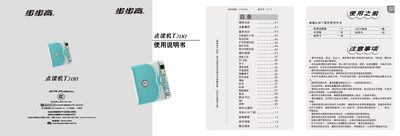
This manual introduces safety precautions, the main components, battery installation, and storage‑card expansion for the BBK T300 point‑reading device. It explains how to power the unit with a dedicated adapter or four AA batteries, how to insert and format a storage card, and how to protect the device from environmental hazards.
The guide details the device’s learning functions such as music playback, English‑Chinese dictionary, MP3, pet‑learning mode, and various interactive keys (speed, volume, test, dictation, repeat, follow‑up). Troubleshooting sections cover power issues, unresponsive pens, storage‑card errors, and audio problems, with clear step‑by‑step checks. This manual is written in Chinese.
| Model | T300 |
|---|---|
| Flash memory capacity | 256 MB (2 Gb) |
| Operating voltage | 6 V |
| Speed adjustment levels | 5 levels |
| Maximum follow‑up time | 240 seconds |
| Volume steps | 16 levels |
| Download interface | USB 1.1 |
Turn off the device, insert the card, then follow the on‑screen prompts to format (supports FAT16/FAT32).
Verify the power adapter and battery contacts, ensure the battery is charged, and confirm the power button is not stuck.