
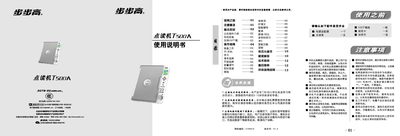
The BBK T500A is an educational reading pen designed for children aged 5‑12 to learn English and Chinese. It includes a main unit, a USB download cable, a power adapter, and a point‑reading pen.
The manual covers battery installation, USB data download, basic operation (power on/off, learning modes, volume control, speed adjustment), and troubleshooting steps such as battery checks, formatting, and error handling. This manual is written in Chinese.
| Operating Voltage | 6 V |
|---|---|
| Power Supply | DC 6 V, 4×AA batteries |
| Speed Adjustment Levels | 5 levels |
| Maximum Reading Time | 240 seconds |
| Volume Levels | 16 levels |
| Download Interface | USB 1.1 |
Use four AA (5号) batteries and insert them with the correct polarity (+ / –).
Check that the power adapter or batteries are properly connected and that the power button is pressed correctly.
With the device powered off, hold the Smart‑Tutor/MP3 and Replay/Speed keys, then press Power; the screen will show a formatting message and you can release the keys.