
This document describes the usage of SD/SDHC reader LSQT1559 for SDR-H90GK and SDR-H80GK. The reader supports SD and SDHC cards with a maximum capacity of 4GB.
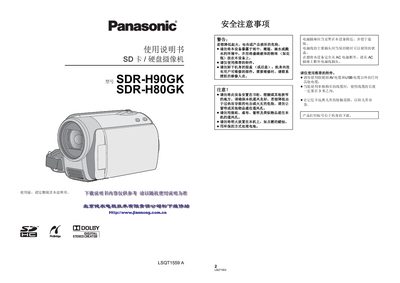
The manual provides instructions for the Panasonic SDR-H80GK and SDR-H90GK hard disk digital video cameras. It covers basic operations, power supply, battery charging, recording to the built-in hard disk (80 GB for H90, 60 GB for H80) or SD/SDHC cards, playback, menu settings, and connecting to TVs, DVD writers, or computers.
It also details compatible battery packs (VW-VBG070GK, VW-VBG130GK, VW-VBG260GK), recording times, supported SD card capacities up to 32 GB, and the VideoCam Suite software for PC and Macintosh. Troubleshooting, error messages, and specifications are included at the end.
| Built-in HDD capacity (SDR-H90GK) | 80 GB |
|---|---|
| Built-in HDD capacity (SDR-H80GK) | 60 GB |
| Supported SD/SDHC card capacities | 8 MB to 32 GB |
| Video resolution | 640x480 (640M480), 640x360 (640M360) |
| File system | FAT12, FAT16, FAT32 |
| Supported SD card speed classes | Class 2, Class 4, Class 6 |
| AC adaptor model | VSK0699 |
| USB cable model | K1HA05AD0006 |
The camera supports SD and SDHC cards up to 32 GB, with speed classes Class 2, Class 4, and Class 6. Panasonic RP-SD series cards are recommended.
The listed HDD capacity is 80 GB for SDR-H90 and 60 GB for SDR-H80.
Connect the AC cable to the AC adaptor and the AC outlet.
Insert the battery on the AC adaptor by aligning the arrows.