
This document is a user manual for the GE digital camera E1486TW, including preparation before operation, basic operation, camera function control buttons, playback, using the menu, camera connection, etc. It also includes safety precautions and usage precautions for batteries and storage cards.
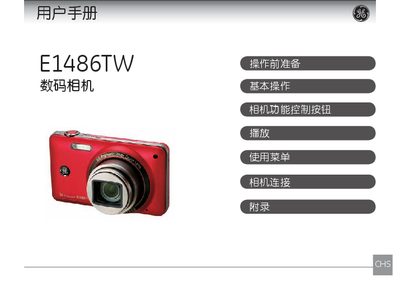
This manual explains how to prepare the GE E1486TW camera for use, including battery installation, storage‑card insertion, and basic operation of the LCD touch panel. It also details the functions of the camera's control buttons and various shooting modes.
Safety warnings cover proper handling, environmental restrictions, and battery care, while the troubleshooting section helps resolve common issues such as storage‑card errors and connection problems with printers. This manual is written in Chinese.
| Storage Card Type | SD/SDHC |
|---|---|
| LCD Screen | Touch panel |
Read the manual carefully and keep it for future reference.
Wipe the screen with a slightly damp soft cloth; do not use solvents.
It shows the product complies with European safety, health, environmental and consumer‑protection requirements.
The camera accepts SD or SDHC cards.