
5 digits 4 digits 4 digits 4 digits digital control meter instruction manual, introduces the meter's key functions, parameter setting, alarm settings and other functions.
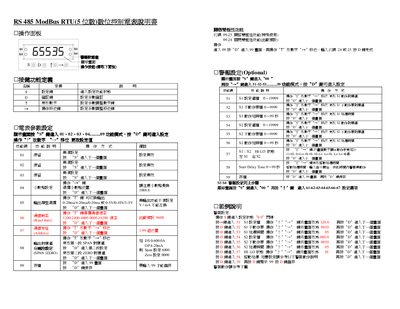
The RS 485 ModBus RTU is a digital ammeter that can be configured via its front panel keys. It supports single‑polarity and dual‑polarity measurement ranges, various output signal types, and programmable alarm functions.
The manual covers the operation panel layout, key functions, parameter setting procedures, alarm configuration, and the Modbus‑RTU communication protocol, including command codes and data formats. It also provides examples for setting start‑delay times and saving configuration data. This manual is written in Chinese.
| Output type options | 0‑20 mA / 4‑20 mA / 0‑10 mA or 0‑5 V / 0‑10 V / 1‑5 Y |
|---|---|
| Single‑polarity measurement range | 0 to 65 535 |
| Dual‑polarity measurement range | -19 999 to 32 767 |
| Start‑delay time range | 0 to 99 seconds |
| Zero‑alarm threshold | below 0.3 % of full scale |
Enter the output type selection screen (menu 05), press D to access it, then use the + and shift keys to choose among 0‑20 mA, 4‑20 mA, 0‑10 mA, 0‑5 V, 0‑10 V, or 1‑5 Y.
Enter code 09‑25 to open the dual‑polarity function; the factory default (code 09‑24) keeps it disabled.
Select menu 58, then enter a value between 0 and 99 seconds for the start‑delay time.
Press the *D7 key to save; you must enter 99 before the settings are stored.