
This manual provides operating instructions for GSM/GPRS/GPS tracker
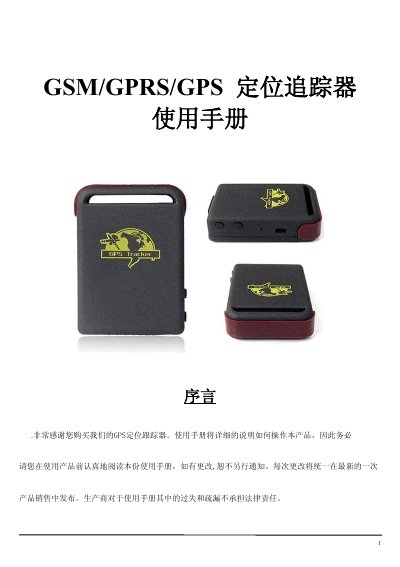
The guide provides an overview of the tracker’s hardware layout, specifications, and typical application scenarios such as vehicle fleet management, personal safety, and pet monitoring. It details the required SIM card setup, battery charging, and initial configuration steps.
Detailed instructions cover password management, authorization of phone numbers, various positioning modes, geofence configuration, and alert functions like SOS, low‑battery, and overspeed. A troubleshooting section lists common fault symptoms and recovery commands. This manual is written in Chinese.
| Dimensions | 64 mm × 46 mm × 17 mm |
|---|---|
| Network | GSM/GPRS 850/1800/1900 MHz (or 900/1800/1900 MHz) |
| Chipset | SIRF3 |
| GSM/GPRS Module | SIMCOM300 or SIMCOM340 |
| GPS Sensitivity | -159 dBm |
| GPS Accuracy | ≈5 m |
| Cold Start Time | 45 s |
| Warm Start Time | 35 s |
| Hot Start Time | 1 s |
| Vehicle Power Input | 12‑24 V |
| Battery | 3.7 V 800 mAh Li‑ion rechargeable |
| Standby Time | ≈48 hours |
| Operating Temperature | -20 °C to +55 °C |
| Storage Temperature | -40 °C to +85 °C |
| Humidity Range | 5 % – 95 % non‑condensing |
Send an SMS with the command “password+oldPassword+#newPassword” to the tracker; it will reply with a confirmation.
Send the SMS command “at30sum15” to receive a location update every 30 seconds for 15 times; use “at30sum0” for unlimited updates.
Press and hold the SOS button for 3 seconds; the device will send an emergency SMS with its location to all authorized numbers.
When the device is stationary for 3‑10 minutes, send “stockade+password+#minLat,Long;maxLat,Long” to define the area; the device will alert if it leaves the zone.