
C9500N Color Laser Printer User Guide. This manual describes how to use C9500N to prepare for printing, troubleshoot printer failures and replace consumables.
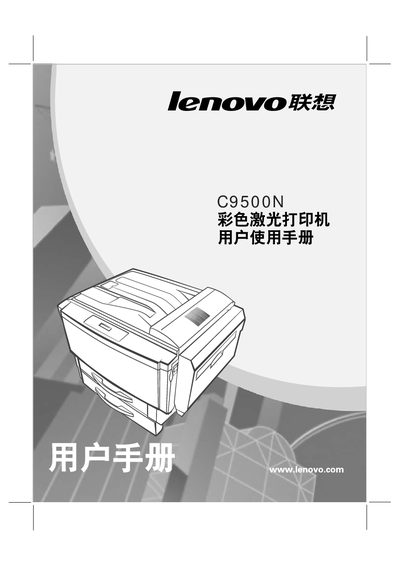
This is the Chinese user manual for the Lenovo C9500N color laser printer, published by 联想(北京)有限公司 (Lenovo (Beijing) Co., Ltd.). It explains how to prepare the printer for printing, install drivers and utilities from the Software Utilities CD, select and load paper, and replace consumables such as toner cartridges, waste toner boxes, drum units and fuser units.
The manual also covers operation through the control panel and printer menus, PostScript printer drivers for Windows, color printing and color matching, the status monitor, cleaning and maintenance, optional accessories (DIMM, duplex unit, hard disk drive, lower paper trays), clearing paper jams, troubleshooting print quality, control panel messages, and technical specifications including paper sizes, electrical requirements and regulatory information. This manual is written in Chinese.
| Product type | Color laser printer (彩色激光打印机) |
|---|---|
| Supported paper sizes | A3, A4, A5, B4, B5 (JIS), Executive, Folio (A4 Plus), Government Letter, custom sizes |
| Maximum custom paper size | 12.2 × 18.0 in (311 × 457 mm) |
| Plain paper weight | 64 − 90 g/m² |
| Paper trays | Tray 1 (universal tray), trays 2 − 4, manual feeder |
| Laser safety class | Class 1 laser system |
The printer supports A3, A4, A5, B4, B5 (JIS), Executive, Folio (A4 Plus), Government Letter and custom sizes up to 12.2 × 18.0 in (311 × 457 mm).
Plain paper (including recycled, letterhead and note paper) from 64 − 90 g/m² is supported.
The Software Utilities CD provides the driver and PPD plus utilities; in Windows they can be installed by auto-load installation or by manual installation.
Ignoring the warning may cause serious injury or even death; a triangle marks a hazard requiring precautions.