
This guide provides instructions on installing the Oracle Sun Storage 6180 array, including preparing for installation, installing the rack, installing the controller tray and expansion tray, and checking the controller tray front and rear panels.
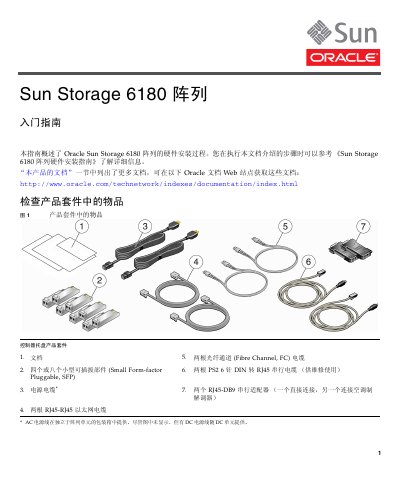
The document provides a step‑by‑step hardware installation process for the Oracle Sun Storage 6180 array, covering item checks, rack preparation, controller‑tray and expansion‑tray mounting, cable connections, and management‑host setup. It references related Oracle documentation for safety, compliance, and additional configuration details.
Key sections include checking the product kit, recording MAC addresses, installing trays in a Sun Rack II, inspecting front and rear panel LEDs and ports, connecting controller and expansion trays, preparing the management network, and powering on the array while configuring IP settings and installing the management software. This manual is written in Chinese.
| Maximum tray weight | 95 lb |
|---|
By default the IP address is obtained automatically via DHCP, but it can be changed manually through each controller’s serial port.