
MINI DVR is a new generation of integrated security monitoring product, integrating surveillance, intelligent motion detection, loop recording and storage, and analog video output. It is suitable for shops, homes and other places.
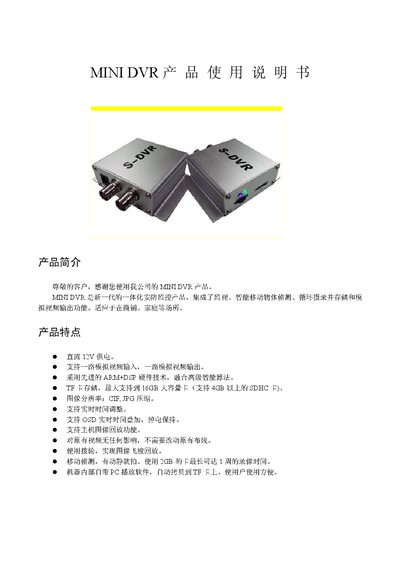
The Mini ST-02 is an all‑in‑one security DVR that integrates video capture, intelligent motion detection, and object tracking. It is designed for both commercial and home use, offering features such as 12 V power supply, dual video input/output, and support for up to 16 GB SD cards.
This manual explains the product’s features, hardware specifications, installation steps, operation procedures, LED indicator meanings, SD/TF card handling, and playback functions using the included Box Player software. It also includes troubleshooting tips and safety warnings. This manual is written in Chinese.
| Model | ST-02 |
|---|---|
| Video Input Format | NTSC/PAL |
| CVBS Input Channels | 1 |
| CVBS Output Channels | 1 |
| Resolution | 352×288 (CIF) |
| Supported SD Card Capacity | Up to 16 GB |
| Power Supply | DC 12 V >500 mA |
It supports NTSC and PAL video input formats.
The device supports SD cards up to 16 GB in capacity.
The DVR provides one CVBS input channel and one CVBS output channel.
It requires a DC 12 V power source with a current greater than 500 mA.