
This document describes the technical specifications and features of the AJ-MC DVCPRO50. The product supports various video and audio input and output interfaces, making it suitable for broadcasting and professional video production.
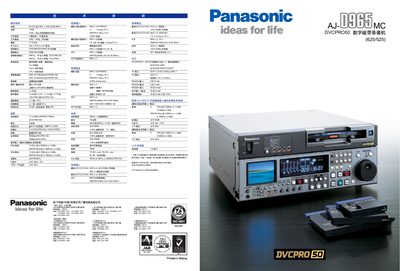
The AJ-D965MC is a professional DVCPRO 50 digital video recorder with an LCD front‑panel, programmable function keys, and support for XL, L and M tapes. It records up to four hours on an XL tape and offers selectable 625/525 (PAL/NTSC) video standards.
The unit includes standard SDI, AES/EBU, XLR, IEEE‑1394, RS‑422A and RS‑232C interfaces, optional analog input boards, and a tilt‑adjustable LCD monitor for easy viewing and menu navigation. Optional accessories such as the AJ‑YAD955G IEEE‑1394 board and AJ‑CS455P Mini‑DV adapter expand its capabilities. This manual is written in Chinese.
| Power Supply | AC100‑240V |
|---|---|
| Maximum Power Consumption | 130 W |
| Weight | 17.5 kg |
| Dimensions | 424 × 175.2 × 417 mm |
| Recording Time (XL tape, DVCPRO mode) | Up to 4 hours |
| Audio Recording Format | 48 kHz, 16‑bit, 4‑channel |
When set to DVCPRO mode, the recorder can capture up to four hours of video on a new XL tape.
No. The unit cannot record on or play Mini‑DV tapes, even when using an adapter.
The recorder provides standard SDI, AES/EBU, XLR, IEEE‑1394, RS‑422A, and RS‑232C connections for digital and analog signals.
The front‑panel LCD is mounted on a tilt‑adjustable bracket, allowing the user to set the screen angle for optimal viewing.