
CUBE-30X is a high-performance DSP guitar amplifier with 30 watt output and a 25 cm (10 inch) speaker. It provides 9 COSM cabinet simulations including JC CLEAN, ACOUSTIC, BLACK PANEL, BRITISH COMBO, TWEED, CLASSIC STACK, METAL STACK, R-FIER STACK and DYNA AMP. You can switch between the “JCLEAN” and “LEAD” channels, or use a pedal to switch channels. CUBE-30X also combines Roland's power compression function, with the simple press of a button, you can reduce the maximum 30 watts of power to 2 watts. When the power compression function is turned on, even at low volume levels, it will perfectly recreate a powerful distortion sound. 2 watts of output power is ideal for home use.
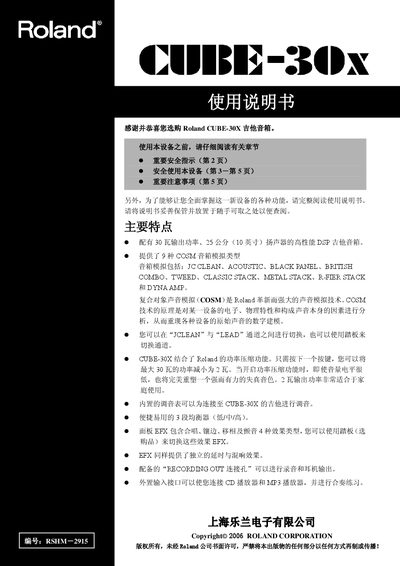
This manual begins with important safety instructions and a description of the CUBE-30X’s main features, such as its 30 W output, 10‑inch speaker and nine COSM amp‑model simulations. It also covers power‑compression, built‑in tuner and the three‑band EQ.
The second part details the control panel, how to switch between JC CLEAN and LEAD channels, use the footswitch, connect external devices via INPUT, AUX IN, RECORDING OUT/PHONES and POWER SQUEEZER, and provides example settings for various music styles. This manual is written in Chinese.
| Output Power | 30 W |
|---|---|
| Speaker Size | 25 cm (10 in) |
| Input Level (INPUT) | -10 dBu / 1 MΩ |
| AUX IN Level | -10 dBu |
| Power Supply Voltage | AC 117 V / 230 V / 240 V |
Use the SELECT switch on the front panel or a compatible footswitch to toggle between CLEAN and LEAD channels.
Press the POWER SQUEEZER switch; the indicator turns red and the output is reduced to 2 W for quiet practice.
Press the TUNER switch; the indicator lamp lights red when the tuner is active.
Set all device volumes to zero, power on the INPUT and AUX IN sources, then turn on the CUBE‑30X, followed by any devices connected to the RECORDING OUT/PHONES output.