
This instruction manual explains how to install the SU-558 monitor stand.
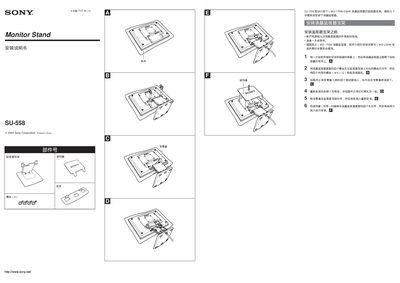
This manual provides step‑by‑step instructions for installing the Sony SU‑558 monitor stand on compatible Sony LCD monitors such as the LMD‑170W and LMD‑230W. It begins with safety precautions, including disconnecting power and preparing a soft cloth surface, then guides you through aligning screw holes and securing the stand with the supplied M4 × 12 screws.
Additional sections cover preventing the monitor from tipping over by using the bottom screw holes, adjusting the monitor’s angle and height, and important specifications of the stand, including its weight of approximately 5.2 kg. This manual is written in Chinese.
| Weight | ≈ 5.2 kg |
|---|
The stand is secured with four supplied screws, size M4 × 12.
Use the four bottom screw holes on the stand to firmly attach the monitor and avoid placing it on vibrating or impact‑prone surfaces.
The stand weighs approximately 5.2 kg.