
The Juno SB handheld receiver is a lightweight and durable construction computer that combines multiple functions, including photography and fast GPS positioning. It is particularly suitable for applications such as asset management and inspections. The integrated GPS receiver accurately records the location of assets, while the camera provides detailed visual information. The Juno SB is an economical solution for utility companies, government agencies, and agents who need to equip their entire construction team while controlling their budget. It comes with the necessary applications and offers various price options without compromising on functionality. The Juno SB features a 533MHz processor, a 3.5-inch display, and a 3-megapixel camera, making it ideal for GIS data collection, maintenance, and inspection activities. With built-in Bluetooth, it allows wireless connectivity to RFID scanners, barcode scanners, and wireless LAN, providing flexible connection options for different business needs. The Juno SB's unique design enables easy mobility, eliminating the need to carry separate cameras, GPS data collectors, and PDAs. Its long battery life allows for a full day of GPS data collection without the need for recharging, and the microSD storage slot provides ample storage space for large applications, data, and background maps. The Juno SB improves productivity both in the field and in the office, with high positioning accuracy even in challenging environments and compatibility with Trimble's mapping and GIS software. It is equipped with Windows Mobile 6.1 operating system and various personal productivity tools, allowing seamless data exchange between the field and the office.
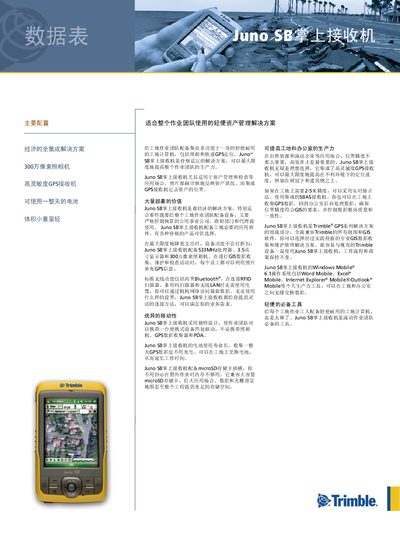
The Juno SB handheld receiver is a lightweight, rugged device designed for asset management, GIS data collection, and field inspections. It integrates a high‑sensitivity GPS/SBAS receiver, a 3 MP color camera, Bluetooth, Wi‑Fi, and a touchscreen display, enabling workers to capture location‑accurate photos and data throughout a worksite.
The manual details the standard configuration, optional accessories, software bundles, and technical specifications such as dimensions, battery life, operating temperature, and wireless connectivity. It also includes guidance on using the device with Trimble’s GIS software and Windows Mobile 6.1 applications. This manual is written in Chinese.
| Dimensions | 12.9 cm × 7.4 cm × 3.0 cm |
|---|---|
| Weight | 0.23 kg (including battery) |
| Processor | 533 MHz Samsung processor |
| Memory | 128 MB RAM and 128 MB internal flash |
| Battery Capacity | 2600 mAh lithium‑polymer |
| Battery Life (no GPS/backlight) | up to 14 hours |
| Battery Life (with GPS/backlight) | up to 8 hours |
| Operating Temperature | 0 °C to +60 °C |
| Storage Expansion | microSD / microSDHC slot |
| Display | 8.9 cm QVGA (240 × 320) TFT, 16‑bit color, LED backlight |
| Wireless Connectivity | Bluetooth v2.0 and 802.11b/g Wi‑Fi |
| GPS Accuracy | 2‑5 m after differential correction (real‑time or post‑process) |
The built‑in 2600 mAh lithium‑polymer battery provides up to 14 hours of operation without GPS or backlight, and up to 8 hours when GPS and backlight are used.
The Juno SB works from 0 °C to +60 °C and can be stored from –20 °C to +70 °C.
It includes Bluetooth version 2.0 and 802.11b/g Wi‑Fi for wireless connectivity.
After differential correction, the device achieves 2‑5 m accuracy, either in real‑time or post‑processed mode.