
Philips SHB6000 Bluetooth Stereo Earphone Quick Start Guide

Philips SHB6000 Bluetooth stereo headset user manual, including instructions on how to turn on/off the headset, pair it with a device, play/pause music, answer/hang up calls, adjust volume, etc.
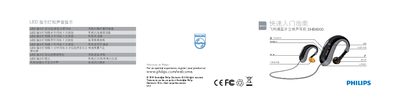

Philips SHB6000 Bluetooth Stereo Earphone Quick Start Guide - cover page
Brand
Philips
Category
Headsets
Document type
Quick Start Guide
Language
Chinese
Pages
2
File format
PDF
File size
1.1 MB
Published
28 February, 2012
Updated
30 September, 2023
Model
SHB6000
MD5 checksum
2F114A71E0A626F8F8A9688C4DAF5083

About this manual

This Philips quick start guide is for the SHB6000 Bluetooth stereo earphone. It describes LED indicator states, power and music controls, call handling, and how to wear the earphone correctly.

The guide also explains how to pair the earphone with a mobile phone and charge it using a USB cable, and notes that the full user manual is available at www.philips.com/welcome. This manual is written in Chinese.

What's inside

  • LED indicators and sound signals
  • Turning the earphone on and off
  • Music and call controls
  • Pairing with a mobile phone
  • Charging the earphone
  • Wearing the earphone correctly

Specifications

Pairing mode duration5 minutes
Default PIN code0000

Frequently asked questions

What is the default PIN code for pairing?

Some phones do not require a PIN code; if one is needed, it is 0000.

What does the LED indicator show when the earphone is ready to pair?

LED indicator alternates red and blue flashing.

How long does the earphone stay in pairing mode?

The earphone stays in pairing mode for 5 minutes.

What should you do to turn on the earphone?

Hold the button until the LED indicator lights up.

Download PDF (1.1 MB)

More Philips Manuals


View all Philips manuals →