
The Philips DVR2008 hard disk recorder can connect to multimedia devices and sources for playback of movies, music and photos. It features a high-speed USB 2.0 connection and supports various audio sources, allowing recording and playback of movies and music. Additionally, it offers an enhanced TV viewing experience and immersive audio and video effects.
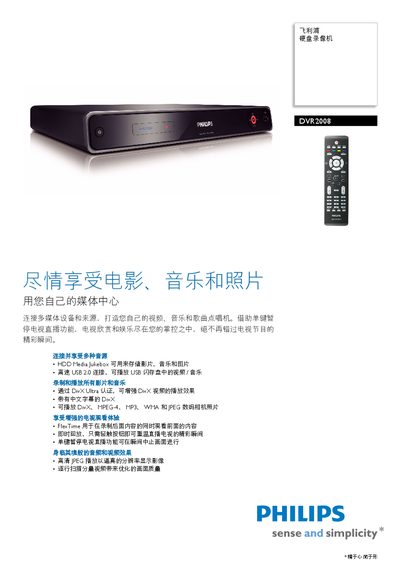
The Philips DVR2008 hard‑disk video recorder combines media playback, TV recording and playback functions. It supports a wide range of formats such as DivX, MPEG‑4, MP3, WMA and JPEG, and offers USB 2.0 connectivity for easy media transfer.
Key features include single‑key pause of live TV, instant replay of the last 30 seconds, FlexTime recording, and a built‑in HDD Media Jukebox that can store up to 60 DivX movies, 8 650 MP3 songs or 71 000 photos. The manual details operation, connections, specifications and accessories. This manual is written in Chinese.
| Hard drive capacity | 160 GB |
|---|---|
| Recording capacity | 123 hours |
| Standby power consumption | 3 W |
| USB interface | USB 2.0 |
| Dimensions (W×H×D) | 360 mm × 285 mm × 50 mm |
| Weight | 3 kg |
Press the single‑key pause button to temporarily stop the live broadcast; press it again to resume.
The built‑in hard drive can record up to 123 hours of video.
It can play DivX, MPEG‑4, MP3, WMA, JPEG and many other common formats.