
This document describes how to install and configure the CommandCenter Secure Gateway
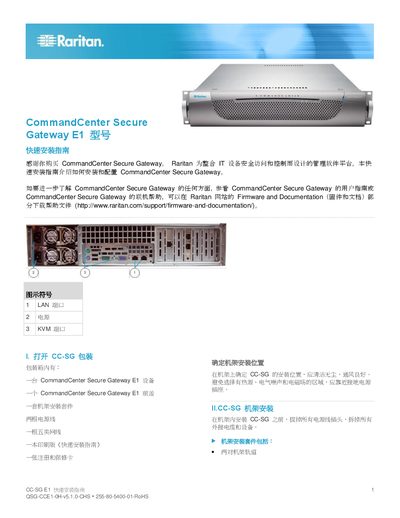
The Quick Installation Guide explains how to mount the CommandCenter Secure Gateway E1 in a rack, connect power, LAN and KVM cables, and perform the initial network configuration. It also references related documents such as the full user guide and firmware download page.
Key steps include inserting LAN cables into the LAN1 and LAN2 ports, connecting the AC power module, configuring the IP address (default 192.168.0.192) via the web console, and setting up a license key using the admin credentials provided in the document. This manual is written in Chinese.
| Rack size | 28‑32 inches (71‑81 cm) |
|---|---|
| Default IP address | 192.168.0.192 |
| Subnet mask | 255.255.255.0 |
Insert one end of the LAN cable into the LAN1 port on the CC‑SG and the other end into the network switch; repeat for LAN2.
Username is "adminraritan" and the password is "admimraritan".
From the Raritan Firmware and Documentation page at http://www.raritan.com/support/firmware-and-documentation/.