
Key facts
- Manuals
- 23
- Models
- 7
- Categories
- 3
- Languages
- EN · ZH
- Last added
- 2022-09-16
VIA models by category
Featured VIA manuals
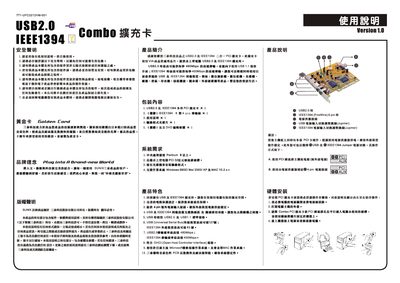
VIA USB2.0 & IEEE1394 Installation Guide
This guide provides the instructions needed to install the VIA USB2.0 and IEEE1394 (FireWire) drivers. It covers supported operating systems, driver setup, and post‑installation verification.
The document also includes troubleshooting steps for uninstalling the drivers and restoring system settings if needed.
Covers: Supported Operating Systems · Driver Installation Procedure · Uninstalling the Driver · Device Manager Verification · Troubleshooting
VIA CD70-SC Rev. A+ System Board User Manual
This manual covers the features, specifications, and hardware installation steps for the VIA CD70‑SC Rev. A+ system board. It includes detailed guidance on CPU socket, memory modules, expansion slots, and connector layouts.
The document also explains BIOS configuration, supported software, power‑management functions such as Wake‑On‑LAN/USB, and provides a comprehensive troubleshooting checklist for common issues.
Covers: Introduction · Features and Specifications · Hardware Installation · Award BIOS Setup Utility · Supported Softwares · Using the Suspend to RAM Function
VIA P4M266A/P4X266E Motherboard Technical Reference Manual
This manual provides detailed information on the VIA P4M266A/P4X266E motherboard, including hardware configuration, connector descriptions, jumper settings, and expansion slots. It also covers CPU and memory installation, BIOS features, power management, and integrated peripherals such as USB, AC97 audio, and optional LAN.
Additional sections describe password protection for BIOS setup, flash BIOS update procedures, and driver installation from the bundled utility CD. Safety notices, FCC compliance, and warranty statements are included at the beginning of the document.
Covers: Hardware Configuration · Motherboard Layout · Rear Panel Connectors · Jumper Settings · Expansion Slots · CPU Installation
VIA PadLock Security Engine The World s Fastest x86 Military-Grade Security Engine Technology Brief Manual
The brief explains the growing importance of computer security and introduces the VIA PadLock Security Engine as a hardware‑based solution that integrates encryption, secure hash and random‑number generation directly onto VIA processor cores. It describes how the engine provides military‑grade protection while minimizing performance impact on desktops, notebooks and embedded devices.
Key sections cover the PadLock security initiative, the evolution of the engine across three processor generations, performance comparisons with software‑only solutions, and links to further technical resources. The document emphasizes that moving cryptographic work to hardware frees CPU cycles, improves battery life, and offers a more robust foundation than software‑only or TPM approaches.
Covers: The Growing Importance of Computer Security · Data Theft from Individual Users · Data Theft from Businesses · What’s Being Done? · VIA PadLock Security Initiative · Evolution of the VIA PadLock Security Engine
Latest VIA manuals
VIA USB2.0 & IEEE1394 Installation Guide
Installation Guide 2 pages · 4.8 MB · ENStep‑by‑step guide for installing VIA USB2.0 and IEEE1394 drivers on Windows systems.
VIA JMicron RAID Installation Guide
This manual describes how to configure RAID function on the motherboard, including VIA BIOS RAID and JMicron BIOS RAID, as well as RAID configuration under Windows.
VIA RAID Installation Guide(3)
VIA RAID installation guide, introduces how to configure RAID function in BIOS and Windows environment
VIA RAID Installation Guide(2)
This document is an introduction and operation guide for VIA RAID installation. It introduces the concept of RAID and precautions for configuration, as well as the steps to install RAID functions on Windows 2000 / XP / Vista systems. It also provides VIA BIOS RAID installation guide and VIA Windows RAID installation guide, which are applicable to different versions of operating systems.
VIA RAID Installation Guide(1)
This document introduces the configuration method of RAID 0, RAID 1, and JBOD functions supported by the RAID controller integrated in VIA VT8237S south bridge chipset
VIA RAID Installation Guide
This manual introduces the configuration methods of VIA BIOS RAID and Windows RAID.
VIA K8T800/K8M800+VT8237 chipset Motherboard user manual
This document is a FCC statement file, stating that the device complies with FCC 15 provisions
VIA P4M800 mainboard for Intel Socket 775 processor Quick User's Guide
VIA P4M800 mainboard quick user's guide, introduces the mainboard's function features, usage instructions, interface instructions, etc.
VIA K8T800 mainboard for AMD socket 754 based athlon 64 processor Manual Revision 1.0
This manual introduces the features and usage methods of VIA K8T800 mainboard, including installation, use and maintenance
VIA K8T890 mainboard user manual
VIA K8T890 mainboard for AMD Socket 754 based Athlon 64 processor user manual
VIA KM400 mainboard quick user manual
This document describes the VIA KM400 mainboard series products, which are suitable for AMD Socket A processors. The features include support for AMD Athlon XP processors, VIA Unichrome Graphics core, and a maximum memory size of up to 2GB.
VIA KT880 mainboard user manual
This manual introduces the features and usage of VIA KT880 motherboard.
VIA P4M266A mainboard user manual
This document describes the features and characteristics of the VIA P4M266A mainboard, as well as instructions for installation and BIOS setup.
VIA KT400A Chipsets AMD Socket A CPU Manual
This document is a user manual for AMD Socket A processors and VIA KT400A chipset released on October 9, 2003. The document provides information on motherboard specifications, installation steps, BIOS settings, S-ATA RAID configuration, and driver installation.
VIA P4X533 mainboard User's Manual
This manual is the user manual of VIA P4X533 motherboard, it introduces the features and characteristics of the motherboard, as well as the installation and use methods.
- 1
- 2
Which document do I need?
Installation Guide
Mounting, wiring and first power-up. Read it before the hardware goes in.
User Manual
Day-to-day operation, settings and troubleshooting. Start here if the product is already set up.
Datasheet
Ratings, dimensions and ordering codes, for selection and design work.
Questions answered in VIA manuals
Can I uninstall the VIA driver after installation?
Yes, use the provided uninstall option in the driver folder to remove the driver.
What type of battery should be used for replacement?
Replace only with the same or equivalent type recommended by the manufacturer.
How many USB ports does the CD70‑SC board provide?
The system board supports six USB ports.
How many USB ports are available on this motherboard?
The board provides six external USB ports, driven by three UHCI host controllers and one EHCI (USB 2.0) controller.
From: VIA P4M266A/P4X266E Motherboard Technical Reference Manual
What happens to data when deleting a RAID 1 array?
When a RAID 1 array is deleted, the data on both drives is retained and the drives become ordinary disks.
Can I create a RAID 1 array in BIOS when using Windows Vista/64‑bit?
No. The guide states that under Vista/Windows 64‑bit you cannot create RAID 1 in BIOS and must use the VIA RAID Tool.