
Key facts
- Manuals
- 4
- Models
- 1
- Languages
- ZH · EN
- Last added
- 2026-10-24
Digital Projection models by category
Featured Digital Projection manuals
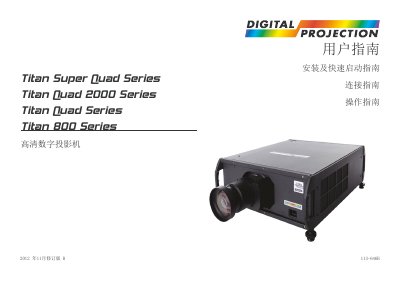
Digital Projection Titan Quad & Titan 800 Series User Guide
This manual serves as an installation and quick start guide for the Digital Projection Titan Quad and Titan 800 Series high-definition digital projectors. It details the contents of the shipping box, provides front and rear views of the projector, explains control panel indicators, and describes connection board status lights.
The document covers essential setup procedures including positioning the projector relative to the screen, adjusting the chassis feet for balance, installing optional mounting brackets, and attaching the lens. It also includes instructions on operating the projector, selecting input signals, performing self-tests, and adjusting zoom, focus, and keystone correction. This manual is written in Chinese.
Covers: Contents of Box · Projector Views · Control Panel Indicators · Connection Board Indicators · Positioning Projector and Screen · Chassis Adjustment
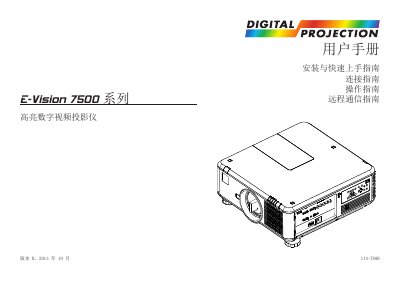
Digital Projection E-Vision 7500 Series High Brightness Digital Video Projector User Manual
This user manual provides detailed instructions for installing, operating, and configuring the Digital Projection E-Vision 7500 Series high brightness digital video projector. It covers connecting inputs, adjusting focus and image settings, and using remote control and network interfaces. The manual includes sections on replacing components like lenses and bulbs, setting up the projector, and using the web-based configuration utility for network control. This manual is written in Chinese.
Covers: 包装盒内容物 · 投影仪概要 · 更换镜头、灯泡、过滤器和色轮 · 屏幕与投影仪的摆放位置 · 投影仪的操作 · 连接指南
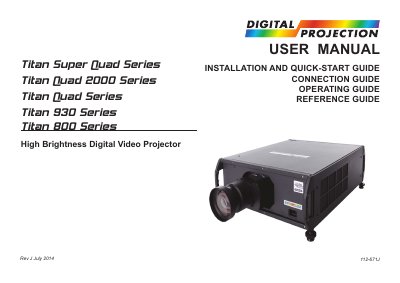
Digital Projection Titan 800 Series High Brightness Digital Video Projector User Manual
This document serves as the user manual for the Digital Projection Titan 800 Series High Brightness Digital Video Projector. It covers installation procedures, quick-start steps, connection guides, and detailed operating instructions for the projector. The manual includes specific guidance for positioning the screen and projector, fitting the lens, and adjusting image settings.
Covers: Installation and Quick-Start Guide · Projector Overview · Remote Control · Positioning the Screen and Projector · Fitting the Lens · Operating the Projector
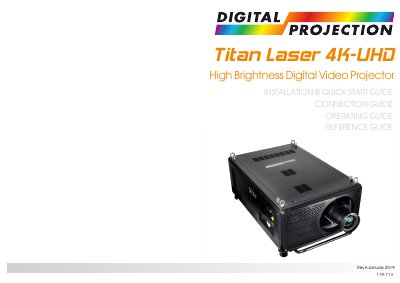
Digital Projection Titan Laser 4K-UHD Projector User Manual
This document serves as the user guide for the Digital Projection Titan Laser 4K-UHD, a high brightness digital video projector. It covers essential safety information, including laser hazard warnings and optical radiation precautions, ensuring safe operation and equipment longevity. The guide details the setup process, from unpacking and connecting power to positioning the projector and adjusting the lens for optimal image quality.
Covers: Laser information · Light Hazard Warning · What's in the Box? · Connecting the power supply · Projector overview · Control panel
Latest Digital Projection manuals
Digital Projection Titan Quad & Titan 800 Series User Guide
User Manual 65 pages · 4.9 MB · ZHInstallation and quick start guide for the Digital Projection Titan Quad and Titan 800 Series high-definition digital projectors.
Digital Projection E-Vision 7500 Series High Brightness Digital Video Projector User Manual
User Manual 80 pages · 4.8 MB · ZHUser manual for Digital Projection's E-Vision 7500 Series high brightness digital video projector, covering installation, operation, and remote control.
Digital Projection Titan 800 Series High Brightness Digital Video Projector User Manual
User Manual 197 pages · 16.2 MB · ENThis manual provides installation, quick-start, connection, and operating instructions for the Digital Projection Titan 800 Series High Brightness Digital…
Digital Projection Titan Laser 4K-UHD Projector User Manual
User Manual 137 pages · 35.6 MB · ENThis manual provides installation, operation, and maintenance instructions for the Digital Projection Titan Laser 4K-UHD high brightness digital video…
Which document do I need?
User Manual
Day-to-day operation, settings and troubleshooting. Start here if the product is already set up.
Questions answered in Digital Projection manuals
What are the power indicator light meanings?
The Power light shows 'off' when closed, green for normal operation mode, and orange for standby mode.
From: Digital Projection Titan Quad & Titan 800 Series User Guide
How do you turn on the projector?
Press and hold the power button for 3 seconds using either the remote control or the control panel.
From: Digital Projection Titan Quad & Titan 800 Series User Guide
What is the model of the projector?
The model is E-Vision 7500 Series.
From: Digital Projection E-Vision 7500 Series High Brightness Digital Video Projector User Manual
What is the default LAN IP address for the projector?
The default LAN IP address is XXX.XXX.X.XXX.
From: Digital Projection E-Vision 7500 Series High Brightness Digital Video Projector User Manual
What are the key features of the Titan 800 Series projector?
The projector supports most 3D standards, full range of digital and legacy analog inputs, and control via LAN and RS232.
From: Digital Projection Titan 800 Series High Brightness Digital Video Projector User Manual
Where is the serial number located?
The serial number is located on the back of the projector.
From: Digital Projection Titan 800 Series High Brightness Digital Video Projector User Manual