
This document is an instruction manual for Epson Stylus CX7400 Series. It introduces the various parts, accessories, media, paper types, sizes, part numbers, sheet counts, etc. of this product.
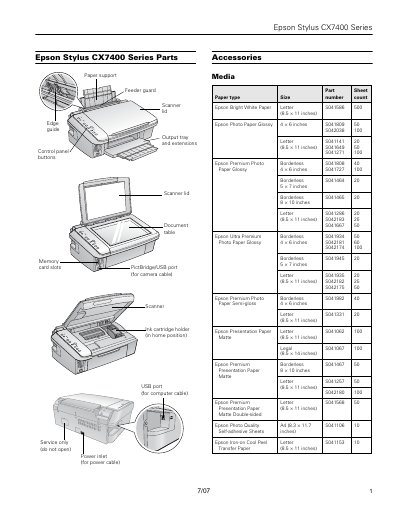
This document serves as a reference guide for the Epson Stylus CX7400 Series, listing available parts accessories such as paper supports, control panel buttons, and ink cartridge holders. It also details compatible media types including various sizes of plain, photo, and presentation papers.
The sheet provides comprehensive technical specifications for the device, covering printing capabilities (1200 dpi main scan), scanning features (CIS type, 10,200 x 14,040 pixels), memory card compatibility, electrical requirements, and environmental operating conditions.
| Sheet feeder capacity | Approx. 120 sheets at 24 Ib (90 g/m?) |
|---|---|
| Effective pixels | 10,200 x 14,040 pixels at 1200 dpi |
| Scanning resolution | 1200 dpi (main scan) |
| Output resolution | 50 to 4800, 7200, and 9600 dpi |
| Power supply rating | 100 to 120 V |
| Weight (without ink) | 13 Ib (5.9 kg) |
It is best to use cartridge number 69 for heavy use and number 88 for moderate use.
The device should be stored between -4 and 104 °F (-20 to 40 °C).