
Key facts
- Brand
- Yongnuo
- Model
- YN560
- Industry
- Electronics
- Documents
- 3
- Languages
- ZH · EN
- Last added
- 2026-09-28
Start here
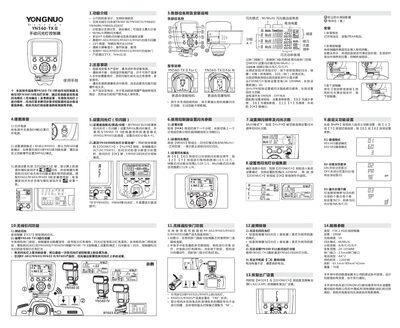
Yongnuo YN560-TX II Wireless Flash Controller User Manual
This manual provides step‑by‑step instructions for configuring the YN560‑TX II wireless flash controller, including communication mode, channel selection, group settings, flash output, and zoom range. It also covers wireless shutter operation, battery installation, and troubleshooting.
Key features such as 16 channels, 100 m transmission distance, and compatibility with YN560 series flashes are detailed, along with safety warnings and regulatory compliance information. This manual is written in Chinese.
Yongnuo YN560 specifications
| Type | FSK 2.4G无线控制器 |
|---|---|
| Transmission distance | 100 m |
| Wireless channels | 16 |
| Flash modes | M/Multi |
| Group control | A/B/C/D/E/F |
| Zoom range | 24‑105 mm |
| Shutter interface | 2.5 mm |
| Battery type | AA × 2 |
| Standby time | 120 hours |
| Dimensions | 65.5 mm × 89 mm × 42 mm |
Source: Yongnuo YN560-TX II Wireless Flash Controller User Manual
All Yongnuo YN560 documents by type
Day-to-day operation, settings and troubleshooting. Start here if the product is already set up.
Questions answered in these manuals
How do I set the communication mode and channel for the YN560‑TX II?
Set the compatible flash (e.g., YN560 III/IV) to RX mode, then select the same communication mode (RF602 or RF603) and channel on the controller, and assign the flash to a group (A‑F).
From: Yongnuo YN560-TX II Wireless Flash Controller User Manual
What should I do if the controller does not turn on?
Check the battery level; if the indicator flashes, replace the two AA batteries with fresh ones.
From: Yongnuo YN560-TX II Wireless Flash Controller User Manual
What happens if the flash is used too frequently?
The overheating protection function will trigger, causing the charging indicator lights to blink alternately and locking the flash light.
How long must the flash remain idle to enter dormancy in M mode with power saving enabled?
The flash keeps idle for 3 minutes before stepping into the dormancy state.
How do I turn the flash on or off?
Press and hold the power switch for 2 seconds to turn the flash on or off.
How can I adjust the zoom/focal length of the flash head?
Use the – and + ZOOM buttons to cycle the focal length through 24, 28, 35, 50, 70, 80 and 105 mm.