
The Yongnuo YN560-TX II manual explains setup, flash modes, zoom, and wireless shutter control for compatible flash units.
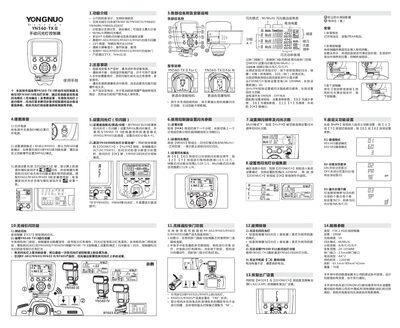
This manual provides step‑by‑step instructions for configuring the YN560‑TX II wireless flash controller, including communication mode, channel selection, group settings, flash output, and zoom range. It also covers wireless shutter operation, battery installation, and troubleshooting.
Key features such as 16 channels, 100 m transmission distance, and compatibility with YN560 series flashes are detailed, along with safety warnings and regulatory compliance information. This manual is written in Chinese.
| Type | FSK 2.4G无线控制器 |
|---|---|
| Transmission distance | 100 m |
| Wireless channels | 16 |
| Flash modes | M/Multi |
| Group control | A/B/C/D/E/F |
| Zoom range | 24‑105 mm |
| Shutter interface | 2.5 mm |
| Battery type | AA × 2 |
| Standby time | 120 hours |
| Dimensions | 65.5 mm × 89 mm × 42 mm |
Set the compatible flash (e.g., YN560 III/IV) to RX mode, then select the same communication mode (RF602 or RF603) and channel on the controller, and assign the flash to a group (A‑F).
Check the battery level; if the indicator flashes, replace the two AA batteries with fresh ones.