
Key facts
- Brand
- Yongnuo
- Model
- YNE3-RX
- Category
- Other Electronics
- Industry
- Appliances
- Documents
- 2
- Languages
- EN
- Last added
- 2026-09-29
Start here
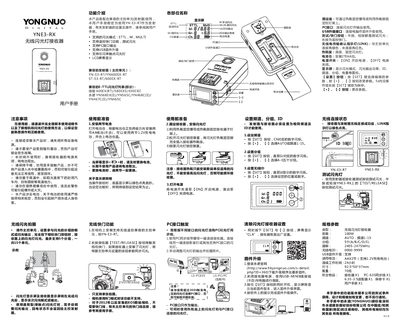
Yongnuo YNE3-RX Wireless Flash Receiver User Manual
This user manual provides step‑by‑step instructions for installing the YNE3‑RX wireless flash receiver, configuring channels, groups and IDs, and using the built‑in LCD to monitor status. It also covers battery installation, mounting options, and safe handling guidelines.
Additional sections describe firmware upgrade via USB, PC port output restrictions, remote shutter release functions, and how to reset the device to factory defaults. Compatibility with Yongnuo and Canon E‑TTL flash units is listed, along with a summary of technical specifications.
YONGNUO YNE3-RX specifications
| Operating mode | 100M AUTO, channels 1‑15 |
|---|---|
| Groups | 5 groups (A‑E), 15 units total |
| Frequency | 2405‑2475 MHz |
| Wireless ID range | 0000‑9999 |
| Battery type | 2 × AA (or 1.2 V rechargeable) batteries |
| Continuous operation time | 24 hours |
| Dimensions | 92.5 × 50 × 37 mm |
| Included accessories | Receiver, PC‑635 sync cord, 6.35‑3.5 adapter, user manual, warranty card |
All YONGNUO YNE3-RX documents by type
Day-to-day operation, settings and troubleshooting. Start here if the product is already set up.
Questions answered in these manuals
How can I reset the receiver to factory settings?
Press the SET and – buttons at the same time; the screen will show “CLA” and the receiver will be restored to its factory defaults.
What batteries does the receiver use and how long does it run?
It uses two AA batteries (or two 1.2 V rechargeable cells) and can operate continuously for up to 24 hours.
How do I restore the receiver to factory settings?
Press the SET and - buttons at the same time until the screen displays CLA.
From: YONGNUO YNE3-RX E-TTL Wireless Flash Receiver User Manual
What is the maximum number of flash units supported?
The receiver supports maximum 5 groupings, totaling 15 units.
From: YONGNUO YNE3-RX E-TTL Wireless Flash Receiver User Manual