
Key facts
- Brand
- Wasp
- Model
- WCS3900 Series
- Category
- Scanner
- Industry
- Electronics
- Documents
- 2
- Languages
- EN
- Last added
- 2026-11-21
Start here
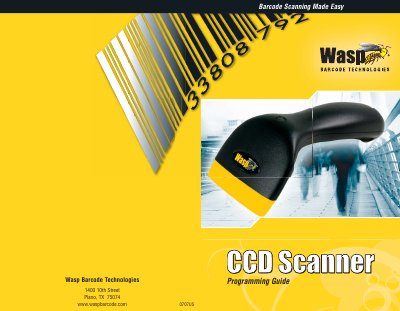
Wasp WCS3900 Series Scanner Programming Guide
The Wasp WCS3900 Series scanners utilize CCD technology to read barcodes by photographing and digitizing them. These devices are extremely rugged with no moving parts and plug directly into a PC's USB or PS/2 port, entering data as keyboard input. The manual explains that the scanners are ready to scan popular barcodes out of the box but can be customized for specific applications using programming barcodes.
Read onlineWasp WCS3900 Series specifications
| Scanning Width | 3.00”(76mm) |
|---|---|
| Depth of Field | contact to 5mm (approx 1.5”) |
| Scan Rate | 45 scans/second |
| Decode Rate | 100 scans/second |
| Light Source | 660 nm red visible LED |
| Sensor | 2088 linear imager |
| Operating Voltage | +5 VDC ±5% |
| Current Consumption | Decoded: Standby <30 mA/ Working <95 mA |
| Output | USB or PS/2 |
| Dimensions | L7.40” x W3.62” x H1.06” |
| Weight | 125 g (without cable) |
| Cable | 6 ft |
| Housing | ABS |
| Operating Temperature | 0°C to 50°C |
| Storage Temperature | -20°C to 60°C |
| Relative Humidity | 20% to 80% non-condensing |
| Safety Certification | Conforms FCC Class A and CE requirements |
| Minimum X-dimension | 5 mils (0.005 in/0.13 mm) |
Source: Wasp WCS3900 Series Barcode Scanner Programming Guide
All Wasp WCS3900 Series documents by type
Instruction set, parameters and examples for configuring or programming the device.
Day-to-day operation, settings and troubleshooting. Start here if the product is already set up.
Questions answered in these manuals
How do I configure the scanner for a notebook (or laptop) computer?
Scan the “Notebook” barcode on page 7.
How do I change the terminator to a Tab?
Scan the “Tab” barcode on page 13.
What is the default barcode to reset the scanner to factory settings?
Scan the default barcode on page 7 to reset the scanner to its factory settings.