
Key facts
- Model
- UR2-211
- Category
- Other Electronics
- Documents
- 2
- Languages
- EN
- Last added
- 2023-10-27
Start here
Universal Remote Control UR2-211 Operating Manual
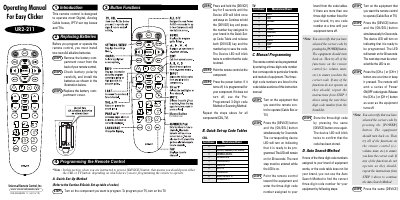
This document is the operating manual for the Universal Remote Control UR2-211, also known as the Easy Clicker. It is designed to operate most Digital, Analog Cable boxes, IPTV set top boxes, and TVs. The manual provides instructions for installing batteries and programming the remote using Quick Set-Up codes, Manual Programming, or the Auto Search Method.
Read onlineAll Universal Remote Control UR2-211 documents by type
Day-to-day operation, settings and troubleshooting. Start here if the product is already set up.
Questions answered in these manuals
How long must the [DEVICE] button be held to start programming the remote?
Press and hold the [DEVICE] key for 5 seconds until the Device LED will blink once and stays on.
What button combination starts the manual programming mode?
Press the [DEVICE] button and the [OK/SEL] button simultaneously for 3 seconds.
What devices is this remote control designed to operate?
This remote control is designed to operate most Digital, Analog Cable boxes, IPTV set top boxes and TVs.
How many batteries are required before operating the remote?
You must install two new AA alkaline batteries before you program or operate the remote control.