
Universal Remote Control UR2-211 Operating Manual

This manual explains how to pair the remote control with a TCL TV.
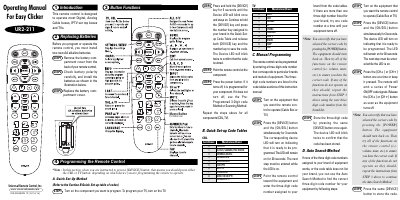

Universal Remote Control UR2-211 Operating Manual - cover page
Brand
Universal Remote Control
Document type
User Manual
Language
English
Pages
2
File format
PDF
File size
223 KB
Published
16 October, 2023
Updated
16 October, 2023
MD5 checksum
69C7FCB31048D6FAAD8F6FEADD1131A0

About this manual

This document is an operating manual for the Universal Remote Control model UR2-211 (also referred to as Easy Clicker). It provides instructions on installing batteries and explains that the remote is designed to operate most Digital, Analog Cable boxes, IPTV set top boxes, and TVs. The guide details how to program the device using Quick Set-Up codes or an Auto Search method if specific brand codes are unavailable.

What's inside

  • Introduction
  • Replacing Batteries
  • Quick Set-Up Method
  • Manual Programming
  • Auto Search Method
  • Programming the All Off Button
  • Programming Volume Control

Frequently asked questions

What devices is this remote control designed to operate?

This remote control is designed to operate most Digital, Analog Cable boxes, IPTV set top boxes and TVs.

How many batteries are required before operating the remote?

You must install two new AA alkaline batteries before you program or operate the remote control.

What happens to the LED when programming a device using the Quick Set-Up Method?

The corresponding device LED will turn on and remain on for 30 seconds while you enter the code.

Download PDF (223 KB)

More Universal Remote Control Manuals


View all Universal Remote Control manuals →