
Key facts
- Model
- UR4-DCT
- Category
- Other
- Documents
- 2
- Languages
- EN
- Last added
- 2012-05-03
Start here
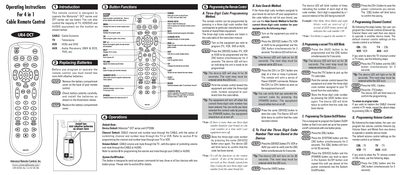
Universal Remote Control UR4-DCT 4-in-1 Cable Remote Control User Manual
This manual explains how to operate the 4‑in‑1 Cable Remote Control UR4‑DCT, which can control Motorola DCT and CFT series set‑top boxes as well as most TV, VCR/DVD and audio equipment. It describes the button functions, power control, and device selection for cable, TV, VCR, and AUX sources.\n\nThe guide covers battery installation, three‑digit code programming, auto‑search code discovery, and how to customize the System On/Off, channel and volume controls for each device mode. Step‑by‑step procedures and LED indicators are provided to help users program and verify the remote.
Read onlineUniversal Remote Control UR4-DCT specifications
| Battery type | AAA alkaline |
|---|---|
| Default device | Motorola DCT series and CFT2200 |
| Default channel | CABLE channel |
Source: Universal Remote Control UR4-DCT 4-in-1 Cable Remote Control User Manual
All Universal Remote Control UR4-DCT documents by type
Day-to-day operation, settings and troubleshooting. Start here if the product is already set up.
Questions answered in these manuals
How do I replace the batteries in the UR4‑DCT remote?
Open the battery compartment on the back, insert two new AAA alkaline batteries with correct polarity, and close the cover.
From: Universal Remote Control UR4-DCT 4-in-1 Cable Remote Control User Manual
How can I program a three‑digit code for my TV or VCR?
Turn on the device, press the [DEVICE] and [OK] buttons together for 3 seconds, then enter the three‑digit code from the code table; the device will turn off when the correct code is entered.
From: Universal Remote Control UR4-DCT 4-in-1 Cable Remote Control User Manual