
Sun Storage 6580 and 6780 Array Installation Guide

This guide outlines the installation process for pre-assembled Sun Storage 6580 and 6780 arrays, covering rack placement, cabling, power connection, and…
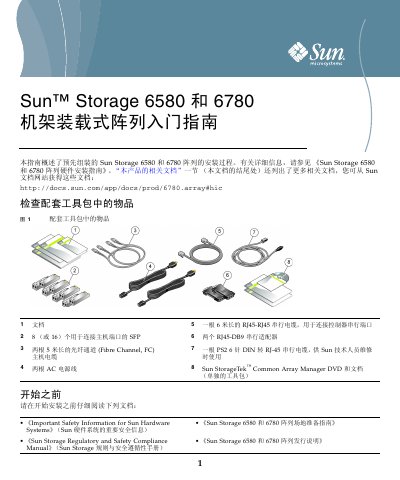

Sun Storage 6580 and 6780 Array Installation Guide - cover page
Brand
Sun
Category
Storage devices
Document type
Installation Guide
Language
Chinese
Pages
6
File format
PDF
File size
2.1 MB
Published
12 October, 2026
Updated
12 October, 2026
MD5 checksum
997260C7C1D40886E7C8E930253EB84B

About this manual

This document provides an overview of the installation procedure for the pre-assembled Sun Storage 6580 and 6780 storage arrays. It details steps such as verifying the contents of the tool kit, securing the system in a rack, connecting data hosts and management hosts via fiber or Ethernet cables, and establishing power connections. This manual is written in Chinese.

What's inside

  • Check Tool Kit Contents
  • Secure System in Rack
  • Check Controller Tray Ports
  • Connect Data Hosts
  • Connect Management Host
  • Power On Sequence

Frequently asked questions

What is the default IP address for Controller A when first powered on?

The default IP address for Controller A is 192.168.128.101.

What is the default IP address for Controller B when first powered on?

The default IP address for Controller B is 192.168.128.102.

What version of Sun StorageTek Common Array Manager is required for installation?

You must install Sun StorageTek Common Array Manager version 6.2 or higher.

Download PDF (2.1 MB)

More Sun Manuals


View all Sun manuals →