
Key facts
- Brand
- Schneider
- Model
- ALTIVAR31
- Industry
- Industrial
- Documents
- 4
- Languages
- EN · ZH
- Last added
- 2012-03-21
Start here
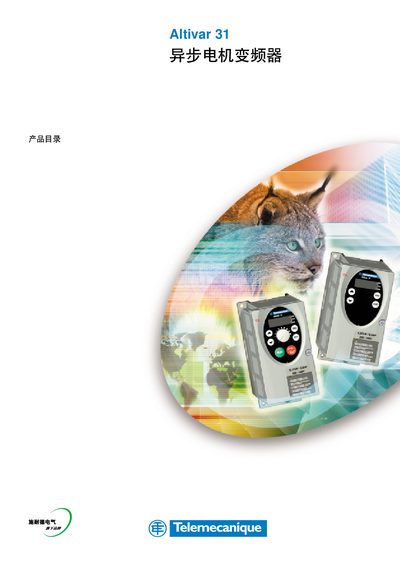
Schneider Electric Altivar 31 Variable Frequency Drive Manual
The Altivar 31 is a variable frequency drive designed for a wide range of industrial applications. It supports power ratings from 0.18 kW up to 15 kW and offers single‑phase (200‑240 V) and three‑phase (380‑500 V) options. The device complies with IEC/EN 61800‑2, IEC/EN 61800‑3, UL, CSA and includes EMC filters for IP55‑rated enclosures.
The manual provides detailed information on functions, communication interfaces (Modbus, CANopen), installation guidelines, wiring diagrams, and a list of compatible accessories such as Vario breakers, LEDs and RJ45 connectors. Safety instructions and EMC compliance details are also included. This manual is written in Chinese.
Schneider ALTIVAR31 specifications
| Maximum bus length | 1000 m at 19200 bps |
|---|---|
| Maximum number of stations (without repeater) | 32 stations (31 slaves) |
| Maximum tap link length (single tap) | 20 m |
All Schneider ALTIVAR31 documents by type
Day-to-day operation, settings and troubleshooting. Start here if the product is already set up.
Instruction set, parameters and examples for configuring or programming the device.
Questions answered in these manuals
What is the maximum bus length for the Altivar 31 Modbus connection?
The RS485 bus can be up to 1000 m long when operating at 19200 bps.
How many slave stations can be connected without a repeater?
Up to 32 stations (31 slaves) can be connected on the bus without a repeater.
How can the drive be returned to its factory settings?
Use the FCS parameter in the drC‑, I‑O‑, CtL‑ and FUn‑ menus to restore the factory configuration.
How do you set a motor nominal frequency different from 50 Hz?
Configure the nominal frequency (bFr) in the SEt‑ menu during the initial setup.
How do you enable CANopen communication on the Altivar 31?
Set a non‑zero value for the Node‑ID parameter (‑@/#) to enable CANopen.
What is the default CANopen Node‑ID value?
The default Node‑ID value is 0, which disables CANopen communications.