
Key facts
- Brand
- RUCKUS
- Model
- R850
- Category
- Wireless connection
- Documents
- 3
- Languages
- EN · ZH
- Last added
- 2026-11-14
Start here
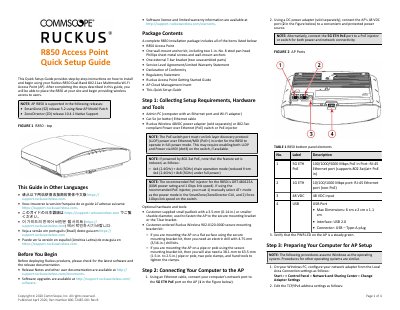
Ruckus R850 Dual-Band 802.11ax Multimedia Wi-Fi Access Point Quick Setup Guide
This Quick Setup Guide provides step-by-step instructions on how to install and begin using the Ruckus R850 Dual-Band 802.11ax Multimedia Wi-Fi Access Point (AP). It covers collecting setup requirements, connecting hardware, logging into the web interface, customizing wireless settings, and placing the unit in its permanent site location. The guide also includes specific mounting instructions for drop-ceiling T-bars and flat surfaces.
Read onlineRuckus R850 specifications
| Wi-Fi Standard | 802.11ax |
|---|---|
| USB Interface | USB 2.0 |
| Power Input | 48 VDC |
| PoE Support | 802.3at/at+ |
| Max Power Draw | 25.5W |
Source: Ruckus R850 Dual-Band 802.11ax Multimedia Wi-Fi Access Point Quick Setup Guide
All Ruckus R850 documents by type
The shortest path to a working setup, usually only a few pages.
Questions answered in these manuals
What are the default login credentials for the R850 AP?
The default username is super and the default password is sp-admin.
From: Ruckus R850 Dual-Band 802.11ax Multimedia Wi-Fi Access Point Quick Setup Guide
What is the default management IP address for the R850 AP?
The default management IP address is 192.168.0.1.
From: Ruckus R850 Dual-Band 802.11ax Multimedia Wi-Fi Access Point Quick Setup Guide
What is the power rating of the PoE module for indoor access points?
The PoE adapter supports up to 50W of power and includes a data port with RJ-45 socket.
From: Ruckus 902-0120-0000 R850-R310 Access Point Parts Guide
How do I specify the region for a power adapter?
Specify the target region by replacing -XXX with codes such as -US5, -EU, -AU, -BR, -CN, -IN, -P, -KR, -SA, or -UK.
From: Ruckus 902-0120-0000 R850-R310 Access Point Parts Guide
What is the default login username and password?
The default username is super and the password is sp-admin.
What is the default management IP address?
The default management IP address is 192.168.0.1.