
Key facts
Start here
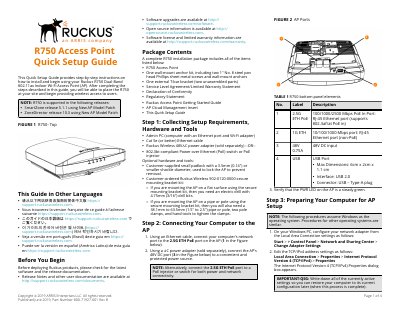
Ruckus R750 Access Point Quick Setup Guide
This Quick Setup Guide provides step-by-step instructions on how to install and begin using the Ruckus R750 Dual-Band 802.11ax Indoor Wi-Fi Access Point. It covers setup requirements, hardware connections, and initial configuration steps to provide wireless access to users.
The document details the physical installation process, including mounting on drop-ceiling T-bars and flat surfaces, as well as the logical setup involving network connection, web interface login, and customizing wireless settings like SSID and country code.
RUCKUS R750 specifications
| Wi-Fi Standard | Wi-Fi 6 (802.11ax) |
|---|---|
| Spatial Streams | 8 (5GHz 4x4:4, 2.4GHz 4x4:4) |
| Max Client Capacity | 1,024 clients per AP |
| Network Interface | 2.5GbE |
| Peak PHY Rate (5GHz) | 2400 Mbps |
| Peak PHY Rate (2.4GHz) | 1148 Mbps |
| Antenna Technology | BeamFlex+ Adaptive Antenna |
Source: RUCKUS R750 Ultra-Dense Wi-Fi 6 Access Point Data Sheet
All RUCKUS R750 documents by type
The shortest path to a working setup, usually only a few pages.
Questions answered in these manuals
What is the maximum number of clients the R750 can manage?
The R750 can manage up to 1,024 client connections.
From: RUCKUS R750 Ultra-Dense Wi-Fi 6 Access Point Data Sheet
Does the R750 support non-Wi-Fi wireless technologies?
Yes, it has built-in BLE and Zigbee capabilities and a USB port for future expansion.
From: RUCKUS R750 Ultra-Dense Wi-Fi 6 Access Point Data Sheet
What is the default username and password for the R750 AP?
The default username is 'super' and the password is 'sp-admin'.
What IP address should be used to access the AP setup page?
Enter https://192.168.0.1 in the browser navigation bar to initiate the connection.
What Wi-Fi standards do the R850 and R750 models support?
They support 802.11ax (Wi-Fi 6) with MU-MIMO and BeamFlex+ technologies.
From: Ruckus R850 R750 R730 R720 R710 Indoor Wireless Access Points Product Guide
What is the maximum PHY rate for the R850 model?
The maximum PHY rate is 4800 Mbps on 5GHz and 1148 Mbps on 2.4GHz.
From: Ruckus R850 R750 R730 R720 R710 Indoor Wireless Access Points Product Guide