
Key facts
- Brand
- ROHDE&SCHWARZ
- Model
- CMW500
- Industry
- Electronics
- Documents
- 4
- Languages
- ZH · EN
- Last added
- 2026-10-19
Start here
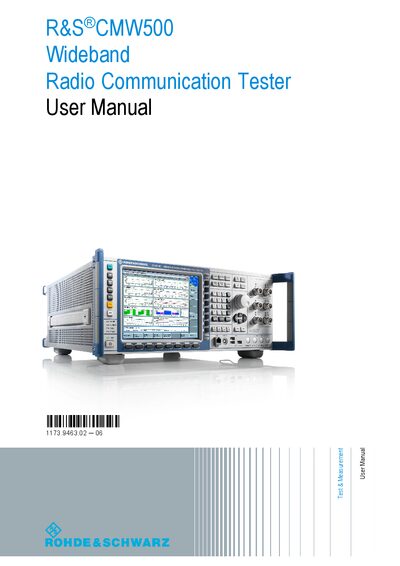
Rohde & Schwarz CMW500 Wideband Radio Communication Tester User Manual
This manual describes how to set up, configure, and operate the R&S CMW500 Wideband Radio Communication Tester. It includes safety instructions, unpacking, instrument tour, and basic operation steps for generating and measuring RF signals.
The document also covers remote control options (LAN, USB, GPIB), detailed command reference for the base software, system overview of generators and measurements, and annexes with connector specifications and interface details.
Rohde & Schwarz CMW500 specifications
| Supported MIMO configurations | 2x2/4x2 |
|---|---|
| Hardware option | CMW‑B300B (Signaling Unite Wideband Plus) |
| Hardware option | CMW‑B570B (RF Transceiver) |
| Required software version for protocol testing | KF500 V29.40.600 or later |
Source: Rohde & Schwarz CMW500 LTE Carrier Aggregation Throughput Test Application Guide
All Rohde & Schwarz CMW500 documents by type
Day-to-day operation, settings and troubleshooting. Start here if the product is already set up.
How to use the product for one specific task, with worked examples.
Questions answered in these manuals
What is the purpose of the RESET button?
The RESET button is used to reset the instrument.
Which operating system can be switched with the SYS button?
The SYS button switches between Windows XP and CMW 1.0.
What is the maximum interference time for optimized network switching?
The interference time should not exceed 300 milliseconds.
From: Rohde & Schwarz CMW500 LTE and EV-DO Handover Application Note
Which interface ensures no data loss during switching between the two network technologies?
The S103 interface ensures there is no data loss.
From: Rohde & Schwarz CMW500 LTE and EV-DO Handover Application Note
How do I configure the CMW500 for physical‑layer LTE CA throughput testing?
Set LTE signaling to Carrier Aggregation mode and configure the PCC and SCC RF ports as shown, then start the measurement.
From: Rohde & Schwarz CMW500 LTE Carrier Aggregation Throughput Test Application Guide
What software version is required for protocol‑based throughput testing?
The protocol test requires software version KF500 V29.40.600 or newer.
From: Rohde & Schwarz CMW500 LTE Carrier Aggregation Throughput Test Application Guide