
Key facts
- Brand
- Mercusys
- Model
- AC12
- Category
- Wireless connection
- Industry
- Computers
- Documents
- 4
- Languages
- EN
- Last added
- 2026-11-17
Start here
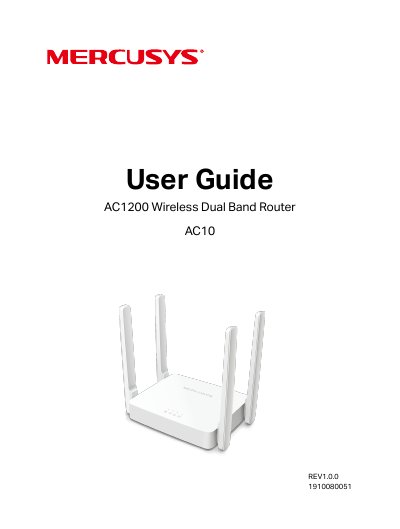
Mercusys AC10 AC1200 Wireless Dual Band Router User Guide
This is the User Guide for the Mercusys AC10 AC1200 Wireless Dual Band Router. It starts with an introduction to the product and its appearance (front and rear panels), then explains how to position the router and connect it to the internet in Router Mode or Access Point Mode, and how to log in to the router.
The main part of the guide describes the web management pages in Router Mode: network settings (status, internet, MAC clone, LAN, IPTV/VLAN, DHCP server, dynamic DNS, static routing), wireless settings including guest network, wireless schedule and WPS, NAT forwarding, parental controls, QoS, security, IPv6 and system tools such as firmware upgrade, backup and restore, password and management options, system log, diagnostics, time, reboot and LED control. Access Point Mode settings are covered separately, and the guide ends with an FAQ appendix and instructions for configuring the PC.
Mercusys AC12 specifications
| Model | AC12 |
|---|---|
| Wireless standard | AC1200 Dual Band |
| Switch ports | 4-port |
| MIMO technology | 2x2 MIMO |
| Default IP address | 192.168.1.1 |
| Subnet mask | 255.255.255.0 |
Source: Mercusys AC12G AC1200 Dual Band Wireless Router User Manual
All Mercusys AC12 documents by type
Day-to-day operation, settings and troubleshooting. Start here if the product is already set up.
Questions answered in these manuals
What is the default IP address of the router?
The default IP address is 192.168.1.1.
From: Mercusys AC12G AC1200 Dual Band Wireless Router User Manual
What does the Mercusys AC12 router integrate?
It integrates a 4-port switch, firewall, NAT router, and wireless AP.
From: Mercusys AC12G AC1200 Dual Band Wireless Router User Manual
What is the web management address for the router?
Visit http://mwlogin.net and log in with the password you set for the router.
From: AC1200 Wireless Dual Band Gigabit Router MR30G REV1.0.0 1910080062 User Guide
What is the default wireless network password?
By default, the wireless network has no password.
From: AC1200 Wireless Dual Band Gigabit Router MR30G REV1.0.0 1910080062 User Guide
What can I do if the login window does not appear?
Reboot your main router and try again, make sure you are accessing the web management through a wireless connection, and verify that http://mwlogin.net is correctly entered in the web browser.
From: Mercusys AC10 AC1200 Wireless Dual Band Router User Guide
How do I restore the router to its factory default settings?
With the router powered on, press and hold the Reset button on the router until there is an obvious change of the LEDs, then release the button. Note that the current configuration settings will be lost.
From: Mercusys AC10 AC1200 Wireless Dual Band Router User Guide