
Key facts
- Brand
- L3Harris
- Model
- XG-75P
- Documents
- 2
- Languages
- EN
- Last added
- 2023-10-15
Start here
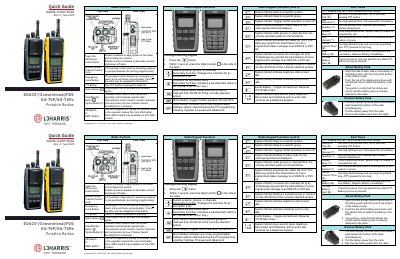
EDACS®/Conventional/P25 XG-75P/XG-75Pe Portable Radios Quick Start Guide
This document serves as a quick reference for the L3Harris XG-75P and XG-75Pe portable radios. It details the functions of the radio's physical controls, including the power knob, channel selector, push-to-talk button, and various programmable keys like Option and Clear/Monitor.
Read onlineAll L3Harris XG-75P documents by type
Day-to-day operation, settings and troubleshooting. Start here if the product is already set up.
The shortest path to a working setup, usually only a few pages.
Questions answered in these manuals
How do I attach the battery pack to the radio?
Align the tabs on the bottom of the battery pack with the slots at the bottom of the battery cavity, push down until latches click, and tug gently to verify security.
What does a 'Low Batt' alert tone indicate?
A low-pitched tone followed by a short mid-pitched tone indicates that the radio has a low battery.
How do I declare an emergency?
Press and hold the red Emergency/Home button until TXEMER flashes in the display, then press PTT to speak.
From: EDACS®/Conventional/P25 XG-75P/XG-75Pe Portable Radios Quick Start Guide
How should I hold the microphone while speaking on the radio?
You must hold the microphone approximately two inches from your mouth while speaking.
From: EDACS®/Conventional/P25 XG-75P/XG-75Pe Portable Radios Quick Start Guide